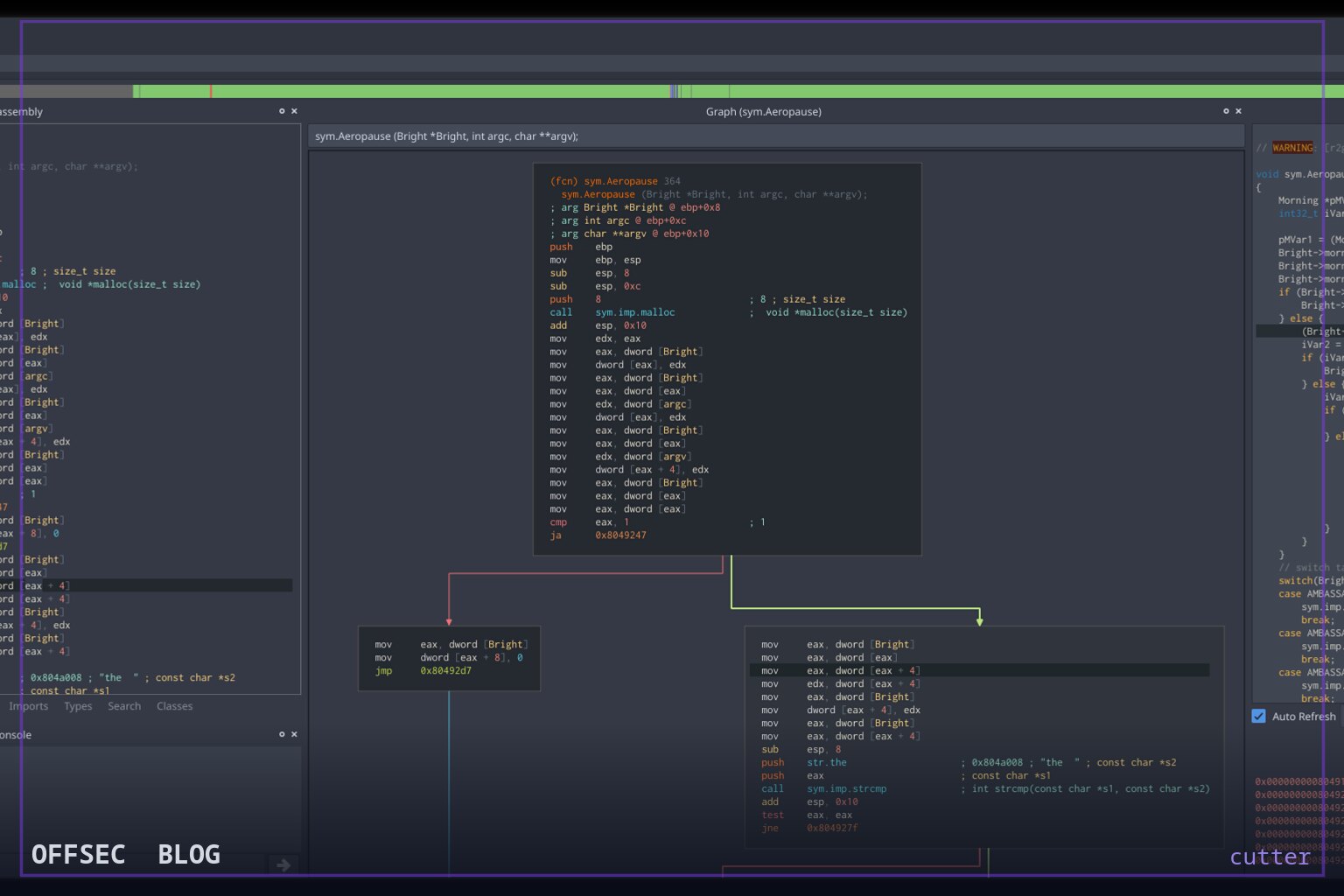
cutter is a free, open-source GUI reverse engineering platform powered by rizin, designed for analyzing malware samples and software during authorized security research.
| Tool | rizinorg/cutter — free and open-source reverse engineering platform powered by rizin |
| Category | Binary analysis / reverse engineering GUI (C++, GPL-3.0) |
| Primary Use | Interactive static analysis and debugging of binaries via rizin capabilities in a Qt-style desktop interface |
| Safe Use | Intended for authorized malware analysis, CTF work, vulnerability research on software you own or are licensed to assess, and defensive research in isolated labs |
| Telemetry Note | As a local analysis tool, cutter performs no network callbacks; defenders mainly observe it as an analyst workstation application, so its presence on production endpoints is itself anomalous |
cutter is a free and open-source reverse engineering platform built on top of rizin, the fork and successor of the well-known radare2 framework. With roughly 19.7k stars on GitHub and a codebase written in C++, it has become one of the default graphical front-ends for engineers who want the analytical depth of a command-line reversing engine without memorizing its full command grammar. The project is maintained under the rizinorg organization, ships under GPL-3.0, and its default development branch is dev, which tells you the repository is actively iterated rather than frozen at release milestones. The README is explicit about the project's ethos: it is created by reverse engineers for reverse engineers, aiming to be advanced and customizable while keeping the user experience front and center.
Architecturally, the interesting part of cutter is the separation between engine and interface. All of the heavy lifting, disassembly, analysis, patching, and scripting primitives, lives in rizin, while cutter provides the desktop application layer that visualizes and orchestrates it. This matters operationally because improvements to the analysis core land independently of the GUI release cadence, and any automation you write against rizin translates directly into workflows you can drive from inside cutter. The project's CI badge indicates continuous integration on GitHub Actions alongside an AppVeyor build for the dev branch, which is what you would expect from a cross-platform C++ project that has to stay buildable on three operating systems simultaneously.
Installation coverage is unusually broad for a security tool. On Linux, the README points users toward distribution packages under the names cutter, cutter-re, or rz-cutter, with Open Build Service repositories as a fallback, and a portable .AppImage release for everything else. On macOS you can pull a .dmg from GitHub Releases or install via Homebrew with brew install --cask cutter. Windows users get a .zip archive plus choco install cutter or a scoop-based install through the extras bucket. There is also a pre-built Dockerfile in the repository's docker directory with its own README.md describing minimal-effort deployment, which is the sensible route if you want to run analysis inside a throwaway container rather than on your host.
Two commands are worth writing down because they cover the least-friction paths: brew install --cask cutter on macOS and choco install cutter on Windows. Anything beyond that, including building from source, is documented at cutter.re/docs/building.html, and the README sensibly redirects readers there rather than duplicating build instructions in the repository. For teams standardizing analysis environments, the Docker route is arguably the most reproducible option since it pins the toolchain and avoids the drift that comes from per-workstation package versions.
The plugin system is where cutter distinguishes itself from a mere GUI wrapper. The README states support for both Python and native C++ plugins, which is a meaningful design choice: Python plugins lower the barrier for quick analytical scripts, while native plugins let performance-sensitive integrations run at the speed of the host application. The flagship example the README highlights is rz-ghidra, the native integration of the Ghidra decompiler, which effectively gives you decompiler-grade pseudocode inside the cutter interface. Also mentioned is a community plugin for visualizing DynamoRIO code coverage, which is exactly the kind of tooling that matters when you are triaging which execution paths a sample actually exercises rather than what is merely present in the binary.
The curated plugin ecosystem lives in a separate rizinorg/cutter-plugins repository, and the README links a dedicated plugin development guide at cutter.re/docs/plugins.html. From a tradecraft perspective this matters because reverse engineering workflows are deeply personal, and the difference between a productive session and a frustrating one often comes down to small automations, annotating functions, exporting signatures, syncing notes across samples. An extensible Python surface means analysts can encode institutional knowledge about a malware family directly into the tool rather than into scattered notes. The invitation to extend the plugin list with your own scripts suggests the maintainers see the community as the primary growth vector beyond the core.
Documentation is well organized for a project of this age. The README links a user guide, contribution guidelines, and developer documentation covering the code side of contribution. Support channels include a Telegram group at t.me/cutter_re, a Mattermost instance at im.rizin.re, and the classic #cutter IRC channel on libera.chat, plus a Twitter presence as @cutter_re. That spread of channels, from real-time chat to async social, is typical of a mature open-source security project with a distributed international user base, and it means getting unstuck rarely requires more than asking in the right room.
In an authorized workflow, cutter slots in as the interactive triage layer. When you are assessing software you own, analyzing samples collected during an incident response you are engaged to perform, or working a CTF challenge, the typical pattern is: load the binary, let the rizin analysis pass run, then move between the disassembly view, graph views, and decompiler output (via rz-ghidra) to reconstruct logic and locate whatever you care about, string handling, protocol parsing, obfuscation routines. Because everything runs locally, there is no telemetry to a vendor, which is both a privacy advantage and a reminder that your findings live only in your project files unless you export them.
For defenders and threat intel teams, cutter is equally a consumer-side tool. Analysts reversing commodity malware in isolated lab VMs use it to extract indicators, recover configuration data, and document capabilities for detection engineering. The DynamoRIO coverage visualization plugin referenced in the README is a good example of defensive value: coverage data helps distinguish dead code from live functionality, which sharpens your detections toward behaviors that actually execute. The tool itself performs no network activity, so the relevant security observation is procedural: an interactive reversing GUI appearing on a machine that is not an analyst workstation is a configuration anomaly worth alerting on.
Caveats worth noting are the standard ones for any reversing platform. GPL-3.0 means organizational users should understand copilot obligations if they embed or modify the code, and the README's instruction to download release binaries from GitHub Releases is a reminder to verify what you download, since popular security tools are a recurring target for typosquatting and fake-site distribution. Sticking to the official rizinorg repositories, the documented package managers, and the project site at cutter.re mitigates most of that risk. Overall, cutter remains one of the most approachable entry points into serious binary analysis, and its combination of an active engine in rizin, dual-language plugins, and cross-platform packaging explains why it has held its position in the community's default toolkit.
rizinorg/cutter.Educational analysis for authorized security professionals. Use only in controlled, authorized environments.


0 comentários:
Post a Comment
Note: Only a member of this blog may post a comment.