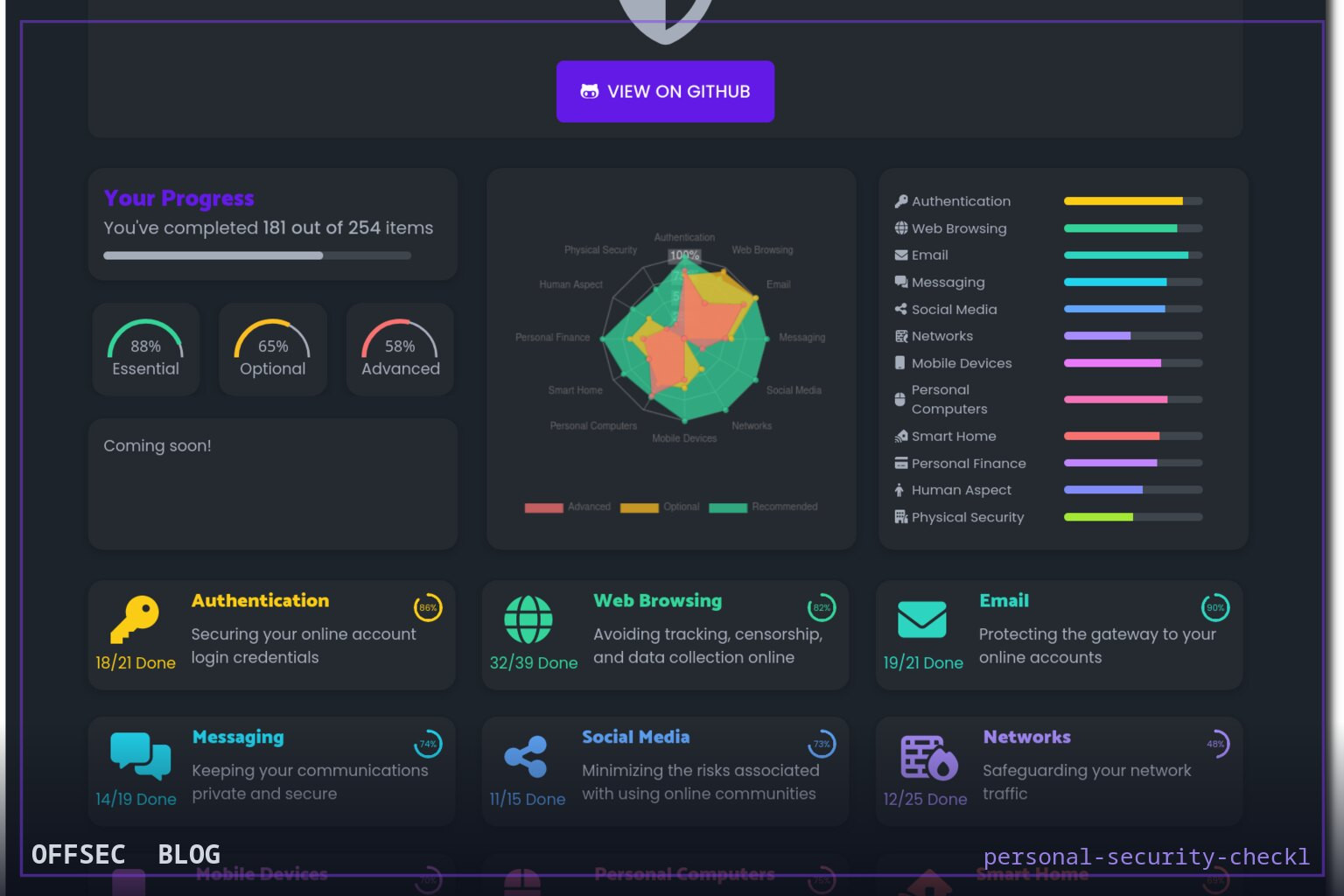
personal-security-checklist is a curated, open-source compilation of 300+ actionable tips for hardening personal digital security and privacy, aimed at defenders, privacy-conscious users, and security educators.
| Tool | lissy93/personal-security-checklist — a compiled checklist of 300+ tips for protecting digital security and privacy |
| Category | Security awareness and hardening reference |
| Primary Use | Working through a structured checklist of 300+ privacy and security recommendations to audit and improve personal or organizational security posture |
| Safe Use | Purely defensive: use in security awareness training, personal hardening, corporate onboarding, and authorized security reviews to benchmark baseline hygiene |
| Telemetry Note | None — this is a static informational resource; it contacts no infrastructure and leaves no operational footprint |
Most repositories that trend on security Twitter are offensive tooling, but lissy93/personal-security-checklist takes the opposite approach: it is a defensive compendium, a compiled checklist of more than 300 concrete tips for protecting digital security and privacy, explicitly framed for 2026. With over 22,000 stars on GitHub, it sits firmly in the awesome-list tradition, but with a level of curation that goes beyond a flat link dump. For professionals who field the recurring question "what should I actually do to be safe online?" from family, colleagues, or clients, this project assembles the answer into a navigable, maintainable artifact written primarily in TypeScript.
The repository's topic tags tell you a lot about its threat model. Alongside expected terms like cybersecurity, privacy, and defense, it tags censorship and surveillance — signaling that the checklist treats state-level adversary capabilities, not just opportunistic cybercrime, as in scope. That framing matters for readership: journalists, activists, and researchers operating under adversarial network conditions will find the checklist's coverage of evasion and anti-surveillance hygiene relevant, while typical enterprise users can simply ignore those tiers. The breadth is the point; the checklist is designed to be selectively applied rather than exhaustively completed.
Architecturally, the project is more than a README — the TypeScript language tag indicates a web application that renders the checklist interactively. This is a common and sensible pattern for list-style resources: rather than forcing users to scroll a monolithic markdown document, the data can be filtered by category, tracked as completed, and versioned. A compiled front-end also means the checklist data lives in structured files within the repo, which makes it forkable and diffable — when a recommendation changes (a service shuts down, a tool is acquired, a best practice shifts), the change is reviewable in git history rather than silently rewritten.
The hacktoberfest topic is a small but telling detail. It means the maintainer has historically opened the repository to community contribution events, which explains both the breadth of the 300+ items and the currency of the content. Security checklists decay quickly — VPN recommendations go stale, breach disclosures change password-manager calculus, and messaging-app security properties evolve. A project that actively solicits pull requests from a broad community has a better chance of tracking that drift than a single-author page last touched years ago. The 2026 framing in the title itself signals deliberate, ongoing refresh cycles.
For offensive and defensive professionals alike, the checklist has an underappreciated secondary use: it functions as a client-facing baseline for authorized assessments. When a consultant delivers a personal-device hygiene review, or when a red team report includes recommendations for executives targeted by phishing campaigns, having a well-maintained public reference to cite adds credibility and saves report-writing time. The security-tools tag suggests the list also catalogs recommended tooling — password managers, encrypted messengers, VPN options, and the like — which gives assessors a vetted vocabulary for remediation language.
From a blue-team perspective, the checklist maps naturally onto awareness-training curricula. The standard complaint about security training is that it is too abstract; a 300-item checklist inverts that by being almost embarrassingly concrete. Trainers can carve it into modules — account security, browser hardening, device encryption, communications hygiene, surveillance resistance — and let employees self-assess. Because the content is open source and community-audited, organizations avoid the licensing and staleness problems of commercial awareness content, though they should still review items for policy conflicts before adoption.
It is worth pausing on what this project is not. It is not a scanner, an agent, or anything that runs against infrastructure. There is nothing to install on endpoints, no telemetry, and no network behavior to analyze. The defensive value is entirely informational. That also means the trust model is editorial rather than technical: users are trusting the maintainers' judgment about which recommendations are sound. As with any awesome-style list, individual items deserve independent verification — a recommendation can be popular and wrong, and privacy advice in particular is riddled with cargo-culted folklore. The community-review model mitigates but does not eliminate this.
The NOASSERTION license flag on the repository is the one caveat worth flagging for anyone planning to redistribute the content, for example embedding checklist sections into internal training portals. Custom or non-standard licensing is common for content-heavy projects, but it means commercial reuse may require checking the actual license text in the repo before copying material wholesale. For personal use and internal reference this is a non-issue; for derivative works it is a real consideration.
In an ecosystem where tooling coverage skews heavily toward offense, personal-security-checklist earns its 22k stars by doing the unglamorous work of maintaining a living defensive baseline. It is the kind of project you keep bookmarked not because it does something clever, but because it answers, comprehensively and current-ly, the question every security professional gets asked at every family dinner. For educators, assessors, and anyone building a hardening curriculum, it is a reference worth having in rotation — verify items as you go, and it will serve you well.
lissy93/personal-security-checklist.Educational analysis for authorized security professionals. Use only in controlled, authorized environments.


0 comentários:
Post a Comment
Note: Only a member of this blog may post a comment.