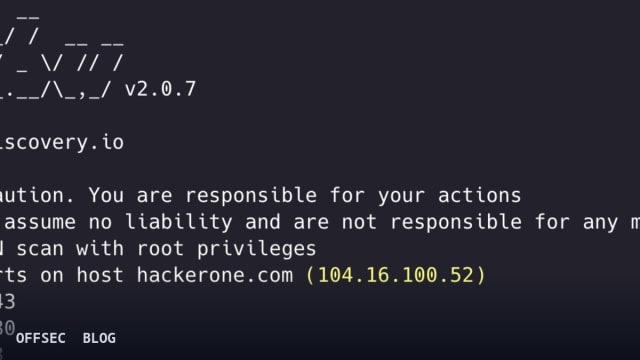
naabu is a Go-based port scanner from projectdiscovery that performs fast SYN/CONNECT/UDP scans for enumerating open ports during authorized assessments.
| Tool | projectdiscovery/naabu — fast, simple port scanning tool written in Go with SYN/CONNECT/UDP probing |
| Category | Network reconnaissance / port scanning |
| Primary Use | Enumerating open TCP/UDP ports across hosts, CIDR ranges, and ASN inputs during authorized security assessments and asset inventory work |
| Safe Use | Use only against systems you own or have explicit written authorization to test, such as internal asset inventories, lab environments, and scoped penetration tests |
| Telemetry Note | SYN scans require raw sockets and root privileges, generating high packet rates (default 1000 pps) that are readily visible to IDS/IPS and flow monitoring; passive mode queries the Shodan InternetDB API instead and leaves no packets on target |
naabu is the projectdiscovery team's answer to the classic question of how to enumerate open ports quickly without dragging along the full weight of a framework. Written in Go and released under the MIT license, the project has accumulated over 6,200 stars and sits comfortably within the broader projectdiscovery ecosystem alongside tools like nuclei and subfinder. The design philosophy is stated plainly in the README: fast, simple, reliable. It does SYN, CONNECT, and UDP probe-based scanning and lists every port that returns a reply, deliberately leaving deeper interrogation to other stages of a pipeline.
The performance model is conventional but well executed. By default the tool runs 25 internal worker threads (-c) and pushes 1000 packets per second (-rate), both tunable. SYN scanning is the headline mode — the example output in the README shows [INF] Running SYN scan with root privileges — which means raw packet construction, and that in turn explains the hard prerequisite: libpcap must be installed before the tool will build or run (sudo apt install -y libpcap-dev on Linux, brew install libpcap on macOS, or Npcap on Windows). This is a common stumbling block for newcomers, and the README gives it appropriate prominence.
Installation follows the standard projectdiscovery pattern. Prebuilt binaries are published on the GitHub releases page, a Docker image exists at projectdiscovery/naabu, and Go users can pull it directly with go install -v github.com/projectdiscovery/naabu/v2/cmd/naabu@latest. Notably, the default development branch is dev rather than master, which is consistent with the project's active, continuous-integration style of development. The hacktoberfest topic in the repository metadata signals that the maintainers actively solicit community contributions.
Invocation is minimal by design. A bare naabu -host example[.]com runs the default configuration — an nmap-style top-100 port scan — against a single target, with -v available for verbose output. Port specification accepts the familiar nmap syntax through -p, including ranges like -p 80,443,21-23 and UDP ports expressed with the u: prefix, so u:53 targets DNS over UDP. The -top-ports flag offers presets of 100, 1000, or full for all 65535 ports, and -exclude-ports carves out ranges you want to leave untouched.
Input flexibility is one of the tool's genuine strengths. Targets can arrive via -host for comma-separated hostnames, -list for a file of hosts, or through STDIN, which makes it trivially chainable with subfinder or amass in a shell pipeline. Beyond hostnames and IPs, it accepts CIDR blocks and even ASN inputs — the README demonstrates echo AS14421 | naabu -p 80,443, where the tool expands the ASN into its constituent addresses. Automatic IP deduplication during DNS-based scans prevents you from wastefully scanning the same box multiple times when many hostnames resolve to one address.
The host discovery layer is more capable than the tool's simple reputation suggests. Flags like -sn for discovery-only scans, -pe/pp/pm for ICMP echo, timestamp, and address-mask pings, -arp for local segments, and -nd for IPv6 Neighbor Discovery give it a respectable sweep capability on its own. There is also a reverse PTR lookup option (-rev-ptr) for input IPs. IPv6 scanning is present but explicitly marked experimental, as is host discovery itself, so treat both with appropriate skepticism in production workflows.
What elevates naabu above a bare-bones scanner is its integration posture. The -nmap-cli flag lets you hand discovered ports directly to an installed nmap binary for service detection, effectively using naabu as a fast front-end and nmap as the deep-dive back-end — the older -nmap flag is deprecated in favor of this. More interesting is the native service discovery built in: -sD identifies services by port number, -sV performs version detection using nmap-service-probes, and -uP sends protocol-specific UDP payloads so that UDP services that stay silent to empty probes will actually respond. This last point matters, because UDP scanning is where most fast scanners quietly fail.
Two features deserve special attention from an operational hygiene perspective. The first is CDN/WAF exclusion: -exclude-cdn (-ec) detects when a target sits behind a CDN or WAF and skips full-port scans, probing only 80 and 443 — scanning CDN edge nodes is almost never what you actually want, and it is a common source of accidental noise against third-party infrastructure. The -cdn flag displays which CDN is in use. The second is the -passive mode, which pulls open-port data from Shodan's InternetDB API rather than sending any packets at all, a far stealthier and safer option when you only need recon-grade data.
Optimization flags round out the feature set. -retries (default 3) and -timeout (default 1000ms) control scan resilience, -verify re-validates discovered ports with a TCP handshake to reduce false positives, and -resume lets you pick up an interrupted scan from resume.cfg. The experimental -smart-scan (-ss) uses a port correlation model with a configurable prediction threshold (-pt, default 20% confidence) to predict likely-open ports before probing — an interesting predictive approach to cutting scan time on large ranges. For egress-constrained environments, -proxy supports routing scans through a SOCKS5 proxy with optional authentication.
Output goes to STDOUT, plain text, -json lines, or -csv, and a configuration file at $HOME/.config/naabu/config.yaml persists defaults. The CLOUD flag group reveals the deeper projectdiscovery strategy: -dashboard uploads results to the ProjectDiscovery Cloud (pdcp) UI for team collaboration, with team and asset IDs for organizing findings. There is also a self-update mechanism (-up) and a metrics port (-mp, default 63636) exposing runtime statistics.
From a defensive standpoint, naabu is straightforward to detect but also straightforward to abuse, so it cuts both ways. Its default 1000 packets-per-second rate and raw-socket SYN scans light up any competent IDS, and defenders should correlate the characteristic half-open connection patterns with source attribution. Conversely, blue teams can legitimately use the tool internally for continuous asset inventory — finding shadowed services and forgotten exposed ports across their own CIDR space and ASN allocations far faster than heavyweight alternatives, and the JSON output feeds cleanly into asset management pipelines.
As with every scanner, the tool itself opens with a warning that bears repeating: Use with caution. You are responsible for your actions. Port scanning sits in a legal gray zone in many jurisdictions and is unambiguously illegal against systems you do not own or lack written authorization to test. Used within scope, naabu is an excellent first-stage enumerator — fast, scriptable, well-documented, and aware of modern realities like CDNs and IPv6 — and its slot in the projectdiscovery toolchain makes it a natural on-ramp to nuclei-based vulnerability scanning once you know which doors are open.
projectdiscovery/naabu.Educational analysis for authorized security professionals. Use only in controlled, authorized environments.
Related coverage


0 comentários:
Post a Comment
Note: Only a member of this blog may post a comment.