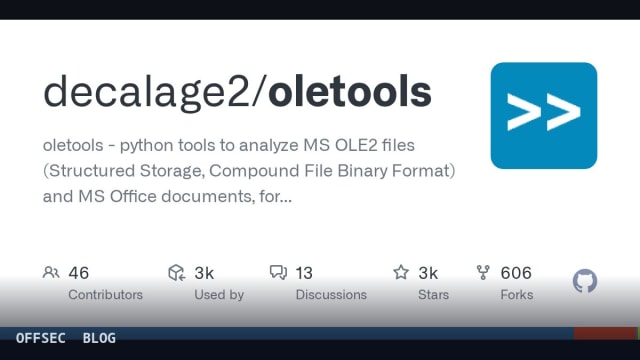
oletools is a Python package for statically analyzing OLE2, OOXML and RTF documents — extracting and inspecting VBA macros, DDE links and embedded objects — primarily for malware analysis, forensics and authorized incident response.
| Tool | decalage2/oletools — Python package of analysis tools for MS OLE2, OOXML and RTF files |
| Category | Static document analysis / malware analysis utilities |
| Primary Use | Extracting and analyzing VBA macros, XLM macros, DDE links, OLE objects and embedded payloads from Office documents during triage |
| Safe Use | Intended for malware analysts, forensic investigators and authorized security teams examining suspicious documents in controlled lab or incident-response environments |
| Telemetry Note | Pure static analysis — no code execution; logs decrypted-password details and extracted indicators, making it low-risk and easily auditable by defenders |
oletools is one of those rare packages that has quietly become load-bearing infrastructure for the document-malware field. Maintained by Philippe Lagadec and built on top of his olefile parser, it provides a suite of command-line utilities and importable Python modules for dissecting Microsoft OLE2 files — the Structured Storage / Compound File Binary Format underlying Office 97-2003 documents, MSI installers and Outlook messages. It also handles RTF and OpenXML (OOXML) containers, meaning it covers essentially every Microsoft document format an analyst is likely to encounter in a phishing triage queue. The project sits at over 3,400 stars, is written in Python, and remains actively maintained, with the most recent release (v0.60.3) dated May 2025.
The package splits logically into two groups of tools. The first group targets malicious-document analysis: oleid for rapid reconnaissance, olevba for VBA macro extraction and analysis, MacroRaptor (invoked as mraptor) for suspicious-macro detection, msodde for DDE/DDEAUTO link extraction, pyxswf for embedded Flash objects, oleobj for embedded OLE objects, and rtfobj for carving objects out of RTF files. The second group is structural: olebrowse (a small GUI), olemeta for metadata, oletimes for stream timestamps, oledir for directory entries including free and orphaned ones, and olemap for sector-level maps. This two-tier design mirrors how analysts actually work — quick behavioral triage first, deep structural inspection when anomalies demand it.
The entry point for most workflows is oleid, which the README describes as a tool to detect characteristics usually found in malicious files. Since version 0.60 it assigns a risk level to each indicator and, notably, calls ftguess internally to identify the actual file format before delegating to olevba and mraptor for macro detection. This chaining matters in practice: attackers routinely mislabel files (an OLE blob renamed to .docx, or an RTF disguised as something else), and ftguess — a dedicated format/container identification tool added in the same release — prevents downstream tools from misparsing a file based on its extension. ftguess currently recognizes formats including PowerPoint, XPS, XLSB, MSI, PNG and OneNote.
olevba is the workhorse. It extracts VBA macro source code from both OLE and OpenXML documents, and its analysis goes beyond simple extraction: it flags suspicious API usage and indicators within the macro text. A particularly valuable capability is its handling of Excel 4.0 (XLM) macros — a legacy, sheet-based macro format that enjoyed a renaissance among document-malware authors precisely because many tools ignored it. When the optional XLMMacroDeobfuscator dependency is installed (pulled in automatically by the [full] extra), olevba uses it to extract and deobfuscate XLM macros, and the changelog notes a 2021 bug fix specifically addressing how it invokes that library. The 0.60.1 release also removed the keyword sample from its indicator list after it caused false positives — evidence of active tuning against noisy detections.
MacroRaptor deserves its own mention because it addresses the classic analyst pain point of triage volume. Rather than asking a human to read extracted macro source, mraptor applies pattern-based logic to detect code that looks malicious — for instance, combinations of auto-execution, suspicious behavior and IOCs — and returns a verdict. It is fast enough to run across entire mail-attachment backlogs, which is exactly why it has been embedded into mail-gateway projects like MacroMilter and olefy, and into mailcow. In an authorized incident-response engagement, that combination of olevba extraction plus mraptor verdicts is a standard first-pass pipeline.
For the RTF side, rtfobj extracts embedded objects — OLE Package files, OLE2Link objects and the exploitation-oriented \objupdate/\objdata constructs that made RTF a favorite delivery vector. The changelog shows sustained hardening here: a fix for finding URLs in OLE2Link objects on Python 3, and a corrected re_executable_extensions regex. oleobj, its OLE-side counterpart, gained simple detection of the initial stage of CVE-2021-40444 (the infamous Windows MSHTML remote code execution delivered via malicious documents) plus detection of the customUI onLoad auto-execution hook. These are detection heuristics, not exploit code — the tool reports that known malicious structures are present, which is precisely the information a defender needs for prioritization.
msodde closes another historical infection vector: DDE/DDEAUTO links, which execute field-code-driven commands in Word without requiring macros at all. It extracts these links from MS Office documents, RTF and even CSV files. Combined with pyxswf — which detects, extracts and analyzes Flash (SWF) objects embedded in Office documents and RTF, useful because old exploit kits shipped inside Flash applets — the package covers the full catalogue of document-based execution mechanisms that predate and coexist with VBA. oletimes and oledir add forensic texture: per-stream creation/modification timestamps and directory entries including free and orphaned ones, which can reveal tampering or deleted embedded payloads during authorized forensic examinations.
The ecosystem adoption listed in the README is unusually strong and worth reading as a signal of quality. oletools is consumed by sandboxes (Cuckoo, CAPE, Joe Sandbox, SNDBOX, Hybrid-analysis.com), orchestration and SOC platforms (TheHive/Cortex, Cortex XSOAR, IntelOwl, Splunk add-on for MS O365 Email, Sublime Platform), file-analysis pipelines (Strelka, Laika BOSS, stoQ, FAME, Pandora, AssemblyLine), distribution-hardening stacks (REMnux, FLARE-VM, Tsurugi Linux), and mail-security gateways (mailcow, PeekabooAV, MacroMilter). That breadth means the code is exercised against enormous real-world corpus volumes daily, which is the best regression test a parsing library can have.
Recent development shows attention to both security and compatibility. Version v0.60.3 fixed a security issue in olevba's CLI display when ANSI escape codes are present in macro text — a defensive fix preventing terminal-escape injection when displaying attacker-controlled content — and added a --decrypted_dir option with decrypted-password reporting in logs for encrypted files. The crypto module also ships known transparent-decryption passwords (the changelog mentions a PowerPoint one), letting analysts open password-protected samples that use well-known keys. On the compatibility front, v0.60.2 resolved Python 3.12 SyntaxErrors across oleobj, rtfobj and pyxswf, and moved to pyparsing 3 support, while clsid and ftguess gained new format and CLSID coverage including MSI and Zed.
Installation follows the standard one-liner pattern: pip install -U oletools[full] (or sudo -H pip install -U oletools[full] on Linux/Mac, where [full] pulls optional dependencies like XLMMacroDeobfuscator), and the development version can be installed from the master branch archive on GitHub. Each tool is exposed as a console script — olevba, mraptor, rtfobj, and so on — runnable from any directory. Documentation lives in the project wiki, and the author ships a PDF cheatsheet in the cheatsheet/ folder of the repository, a thoughtful touch for analysts building muscle memory across the dozen-plus commands.
For defensive professionals, the operational takeaway is that oletools provides the static, non-executing half of a document-triage workflow. Nothing in the package runs macros or renders documents; it parses bytes, so running it on a sample carries far less risk than sandbox detonation — though analysts should still treat extracted macro text as hostile data (the ANSI-escape fix illustrates why). In mail-gateway deployments it powers pre-delivery screening, in IR it accelerates attachment triage, and in research it feeds attribution and clustering pipelines. Licensing is a bespoke but permissive redistribution arrangement (copyright 2012-2024 Philippe Lagadec, with a separately licensed thirdparty folder), so commercial integration is common but worth a license review. As a maintained, battle-tested, defensively-oriented toolkit, oletools remains the default answer to the question of how to inspect a suspicious Office document.
decalage2/oletools.Educational analysis for authorized security professionals. Use only in controlled, authorized environments.
Related coverage


0 comentários:
Post a Comment
Note: Only a member of this blog may post a comment.