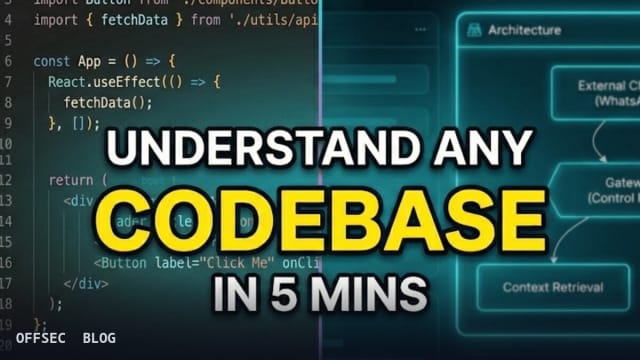
repomind is an open-source, AI-powered platform that lets authorized professionals chat with public GitHub repositories, combining agentic code reasoning, architecture visualization, and dependency vulnerability scanning.
| Tool | 403errors/repomind — an AI-powered, browser-first platform for understanding public GitHub repositories and developer profiles via Agentic CAG |
| Category | AI-assisted code intelligence and repository analysis (TypeScript, Next.js, MIT license, 287 stars) |
| Primary Use | Asking architecture, implementation, and security questions about public repos via repo chat, generating mermaid-style architecture diagrams, and running quick or deep dependency scans against live OSV CVE data |
| Safe Use | Intended for code comprehension, onboarding, and defensive vulnerability research on repositories you are authorized to analyze — it consumes only public GitHub API data and public OSV.dev advisories |
| Telemetry Note | The tool is read-only against GitHub; defenders observe standard GitHub API traffic from the host plus OSV.dev queries. Its SHA-keyed file cache (Vercel KV, 24h TTL for query answers, 30min–1h for anonymous/authenticated files) leaves no footprint on the target repository. |
repomind is the kind of developer tooling that has become genuinely useful in security work: a conversational front-end for repository comprehension. The pitch line — stop reading code, start talking to it — summarizes the intent well. You paste an owner/repo slug or a GitHub username, and the platform builds enough context to answer architecture questions, explain implementation details, and flag dependency risks. It is written in TypeScript on Next.js, licensed under MIT, and sits at roughly 287 stars, with an active CHANGELOG.md tracked through v1.3.6 (2026-02-23), which signals a maintained project rather than a weekend demo.
The most technically interesting decision in repomind is its rejection of pure embedding-based RAG in favor of what the README calls Agentic CAG — Context-Augmented Generation. Instead of chunking a repository into vector fragments and retrieving scattered snippets, the pipeline selects whole, coherent files relevant to the query. A dedicated GEMINI_FILE_SELECTOR_MODEL (default gemini-3.5-flash-lite) picks 25 files for Lite mode or 50 files for Thinking mode, fetches them from the GitHub API with SHA-aware cache reuse, and assembles a context block that includes the repository folder structure plus the selected file bodies. For questions about how a codebase hangs together, full-file context is almost always better than fragment retrieval, and this design choice is the core differentiator.
The caching layer deserves attention because it is where most conversational repo-analysis tools fall over on cost and latency. Files are cached keyed by their SHA, so re-asking questions about an unchanged repository avoids refetching from the GitHub API. Payloads at or under 2MB are gzip-compressed and stored in Vercel KV; anything larger skips the cache write. The query-to-selected-files mapping and the final answers each get a 24-hour TTL, which means repeated questions about a popular repository are effectively served from cache. Cache isolation is also thoughtfully split: public repo file caches are shared by repository namespace, while private repo caches are actor-scoped and never shared between users.
The chat experience streams live status updates instead of a progress bar — selecting files, reading repository context, preparing answer — which is a small UX detail but reveals the agentic plumbing underneath. Tool activity is surfaced too, including fetch_recent_commits, which pulls the latest 10 commits for the current repository in both Lite and Thinking modes. Assistant messages annotate themselves with Commits checked: just now or cached N min ago and a Tools used line, which is good transparency for anyone evaluating whether the model is actually grounding its answers in fresh repository state rather than stale training data.
Profile chat is a separate lane with its own tooling budget. It preloads the latest 20 commits across a developer's repositories, cached for 15 minutes, and offers a fetch_repos_by_age tool with three modes: oldest (10 repos), newest (10 repos), and journey (up to 20 repos spread evenly over the profile's timeline). For an analyst doing reconnaissance on a target's public footprint during an authorized assessment — or, more commonly, for a hiring team or OSS maintainer understanding a contributor's history — this turns a GitHub profile into a queryable narrative. Cross-repo context is available as a chat-input toggle, but only for logged-in users.
The security scanning flow is where repomind becomes relevant to a defensive audience. Scans come in Quick and Deep variants; both collect scoped files and dependencies, run them through a deterministic security engine, and cross-check dependencies live against the OSV.dev API for current CVE data. Crucially, there is a verification gate before anything reaches the report: if AI assist is enabled, an AI validation pass reviews candidate findings, and only those marked verified are shown — rejected or inconclusive findings are hidden. This verified-first posture directly addresses the false-positive noise that plagues LLM-driven vulnerability reporting, and it means the output is closer to a triage aid than an alarm firehose.
The tiering model tells you a lot about the operational constraints. Anonymous users get Lite mode only, a tool budget of 10 per day per scope (repo or profile), a 10MB/day file-cache write budget, a 30-minute file cache TTL, and a 128KB max cacheable file size (with a carve-out allowing up to 2MB for files referenced in two consecutive anonymous queries). Logged-in users unlock Thinking mode, cross-repo context, 30 tools/day per scope, a 20MB/day cache budget, and a 1-hour TTL. These limits exist because model calls and GitHub API traffic cost money — the budgeting is honest engineering, not artificial scarcity, and exceeded authenticated limits surface a contact message rather than a hard wall.
Running it yourself is straightforward and non-weaponized by nature — it reads public data. The prerequisites are Node.js 18+, npm, a GitHub token, and a Gemini API key. The setup is the standard clone-and-configure pattern: git clone https://github.com/403errors/repomind.git, npm install, cp .env.example .env.local, then npm run dev to bring up the local instance on http://localhost:3000. Model selection is controlled via environment variables — GEMINI_FILE_SELECTOR_MODEL, GEMINI_LITE_MODEL, and GEMINI_THINKING_MODEL (default gemini-3.8-flash) — so you can trade cost against reasoning depth. A hosted instance also exists at repomind[.]in if you would rather not manage keys.
The codebase itself is built to be auditable, which matters for a tool you might point at security questions. The tech stack is Next.js, React, Gemini, OSV, Prisma, Vercel KV, and Vitest, and the developer commands include not just npm run lint, npm run test, and npm run build but also npm run test:security — a dedicated security-focused test suite. The contribution workflow explicitly asks for tests on behavioral changes, and the high-impact areas listed (file selection quality, false-positive reduction in the scanner, dashboard UX) map cleanly onto the architecture, suggesting the roadmap and the code are actually in sync.
Where does this fit in an authorized workflow? For code auditors and reviewers, repomind is an onboarding accelerator: it compresses the first hour of reading an unfamiliar open-source dependency into a few questions, and its mermaid-based architecture and flow diagrams give you a mental model before you open an editor. For defenders, the OSV-backed dependency scans provide a fast, verified triage of known CVE exposure in a codebase you are assessing — with the standing caveat that an AI-assisted scan is a starting point for review, not a substitute for it. What it is not, and what its read-only GitHub API usage ensures it cannot be, is an attack tool: it analyzes what is public and leaves the target untouched.
The caveats worth watching are the usual ones for agentic LLM tooling. Answer quality depends heavily on file-selection quality, and the 25/50 file budget means very large monorepos will be sampled, not exhaustively read — the README is honest about this. Privacy of your queries is worth considering before pasting anything into the hosted instance, since query answers are cached for 24 hours; the self-hosted route avoids that entirely. And the security scanner's verification gate, while a strong idea, is still an LLM validating LLM findings — treat its verdicts as prioritization signal. Within those bounds, repomind is a well-architected, actively maintained entry in the code-intelligence space and a solid base for anyone building agentic analysis tooling of their own.
403errors/repomind.Educational analysis for authorized security professionals. Use only in controlled, authorized environments.
Related coverage


0 comentários:
Post a Comment
Note: Only a member of this blog may post a comment.