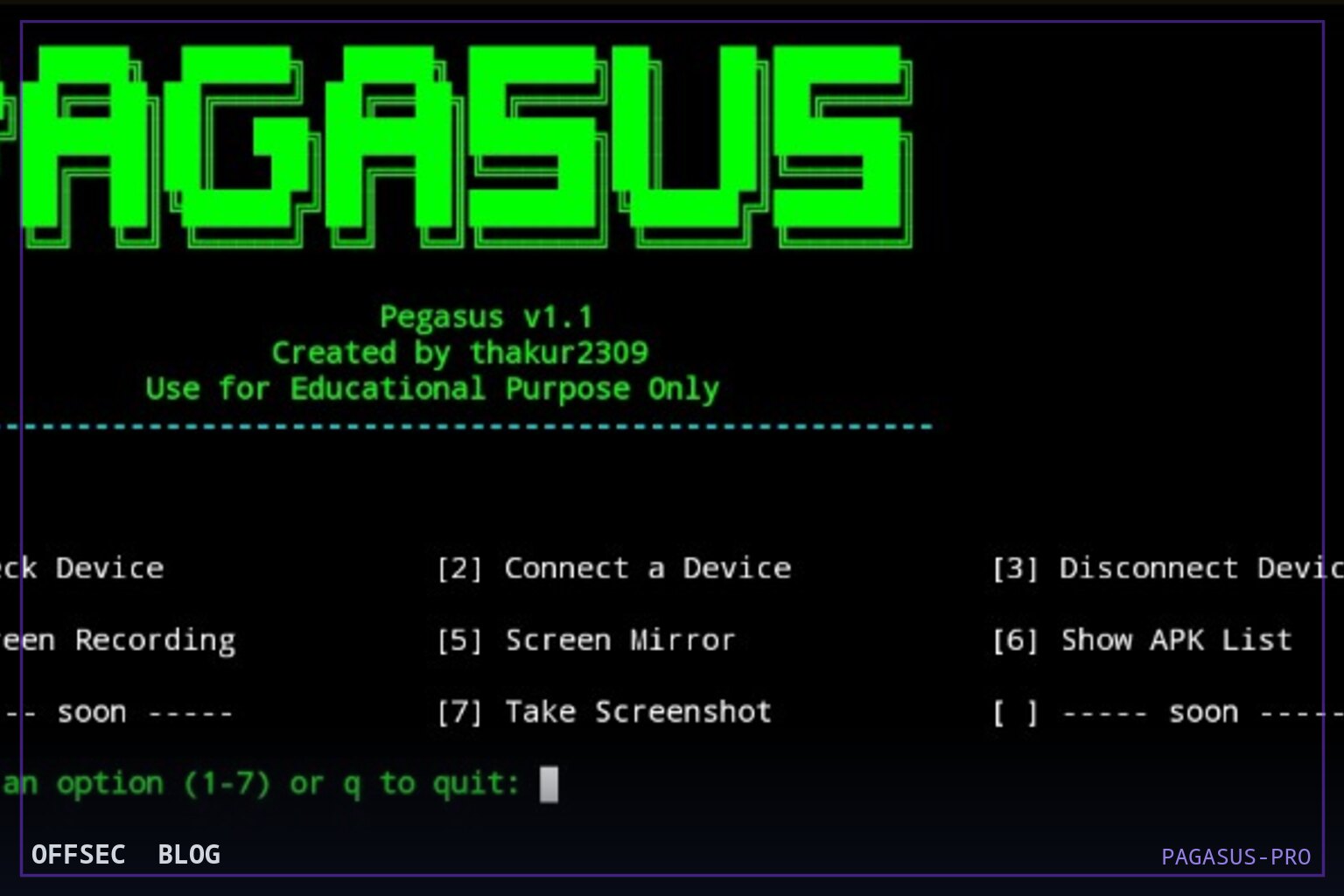
PAGASUS-PRO is a Python 3.7+ terminal menu that wraps ADB, scrcpy, and logcat into a 23-option workflow for auditing Android devices you own or are authorized to test.
| Tool | thakur2309/PAGASUS-PRO — Python-based Android device management and security audit suite built on ADB |
| Category | Mobile device management and security auditing (Python, ADB) |
| Primary Use | Auditing owned Android devices: root detection, permission dumps, debuggable app scanning, logcat collection, and remote management over USB or Wi-Fi ADB |
| Safe Use | The README states explicitly that the tool is for educational and personal use only, on devices you own or have explicit written permission to access; it belongs in labs, development benches, and authorized assessments |
| Telemetry Note | Everything runs through visible ADB sessions and standard Android subsystems; wireless TCP/IP connections, adb install, logcat reads, and contact/SMS exports are all recorded in device logs and visible to endpoint monitoring |
PAGASUS-PRO describes itself as a Python-based Android Device Management and Security Audit tool built entirely on top of ADB, the Android Debug Bridge. Rather than introducing a new protocol or agent, it wraps familiar commands behind a color-coded, numbered terminal menu, which means the tool's entire attack surface — and its entire audit trail — is the standard adb channel between a host PC and a phone with USB debugging enabled. The README is upfront about scope: it targets Android developers wanting quick device control, security researchers assessing their own devices, students learning Android internals, and power users managing phones wirelessly. That framing matters, because every feature in the tool presupposes an already-trusted ADB pairing; the tool automates convenience, not initial access.
The version documented in the README is PEGASUS v1.3, written in Python 3.7+, and the repository shows 519 stars with an unasserted license despite an MIT badge in the README — a discrepancy worth noting before any commercial redistribution. The project supports Linux, Windows, macOS, and even Termux, which is a hint that the author expects it to be run from a phone against another phone, a pattern common in student and self-study communities. The entry point is pegasus_v_1.3.py, with older revisions (pegusV-1.2.py, pegasus_v1.1.py) still shipped in the repo, so you can diff behavior between versions if you're reviewing the code before running it — which, given the license ambiguity and the Instagram-promoted license key (FIREWALLBREAKER) sitting in the README, is a reasonable precaution.
Functionally the main menu is dense. Device management options cover the expected basics: check device model, Android version, and battery; connect over USB or wireless TCP/IP; disconnect cleanly; reboot and power off remotely; toggle Wi-Fi; inspect storage in human-readable form. Screen-oriented options include screenshot capture with automatic pull to the host, screen recording with the same auto-pull behavior, and live mirroring delegated to scrcpy, the well-known open-source display mirroring utility. Option 20, Take Photo, triggers the device camera and pulls the resulting image, and option 23 keeps a session connection history with connect and disconnect timestamps — a small but genuinely useful forensic touch for documenting your own lab activity.
Application and file management follow the same pattern of thin, menu-driven wrappers. Option 9 sideloads any .apk from the host via what is effectively adb install; option 10 uninstalls by package name; option 16 launches an installed app remotely. Options 11 and 12 are the classic adb pull and adb push file transfer pairs. Option 13, Send SMS, is careful in its design: it opens an SMS intent with a pre-filled number and message rather than silently transmitting, so the device user still sees the compose screen. These are convenience features, not capabilities beyond what a technician at the keyboard could type manually, and that is the correct way to read the whole tool.
The data and log options are where the tool starts earning its audit label. Option 14 dumps contacts — names and numbers — to a .txt file on the host, and option 17 pulls a full logcat dump for local analysis. On a device you own this is straightforward forensics practice; on a device you don't, it would be a serious privacy violation, which is presumably why the README leads with its educational-and-personal-use-only warning and instructs users to restrict themselves to devices they own or have explicit written permission to access. That warning is not boilerplate here — several menu items touch data (contacts, SMS, call logs) that is regulated in many jurisdictions.
The core of the security story is option 22, the Advanced Security Audit submenu, which unlocks ten additional checks. The first is root detection, which attempts multiple methods to establish whether the device has been rooted — useful both for an attacker profiling a target and, in the intended framing, for a defender verifying that a managed fleet device hasn't been tampered with. The second dumps dangerous permissions granted per installed app, essentially automating the review of android.permission groups that mobile app assessors do by hand. The third performs a device security audit covering patch level, encryption state, and build tags; build tags containing test-keys are a classic indicator of an unsigned or custom build.
Sub-option 4, the debuggable apps scanner, is the most interesting item from a defensive teaching perspective. Apps built with android:debuggable enabled can be inspected and manipulated at runtime with standard tooling, and shipping a debuggable app to production is a well-documented OWASP mobile risk. Scanning an installed package list for this flag turns an easy-to-miss misconfiguration into a line item on a report. Sub-option 6 checks Wi-Fi security type and optionally shells out to nmap for a network scan, sub-option 9 compares the device patch date against a known risk threshold as a crude vulnerability heuristic, and sub-option 10 surfaces active network connections via netstat — helpful when you suspect an app on your own device is phoning home.
Rounding out the submenu are sub-options 7 and 8: SMS and call log export to .txt, and a logcat filter for permission denials and security events. The filtered log view is the kind of thing that saves real time during app assessments, since permission-denial entries are buried in thousands of irrelevant lines. Sub-option 5 opens an interactive ADB shell directly, acknowledging that any menu eventually runs out — a good design decision that keeps the tool honest about being a launcher rather than a replacement for hands-on work.
Installation is conventional and well documented across platforms. On Debian-family systems including Kali, the one-liner installs python3, adb, scrcpy, and git from apt, clones the repository, installs requirements.txt via pip3, and runs python3 pegasus_v_1.3.py. The Arch, macOS (Homebrew, android-platform-tools), Windows (winget install Google.PlatformTools), and Termux paths all mirror this with platform-appropriate package managers, and scrcpy plus nmap are explicitly flagged as optional dependencies tied to specific menu items. The README's Windows section is unusually thorough, walking through PATH configuration for platform-tools by hand.
From a defender's standpoint, the telemetry footprint is worth understanding because it is entirely native. Wireless ADB over TCP/IP requires the user to have enabled USB debugging and accepted the RSA fingerprint prompt; every subsequent action — installs, log reads, contact exports via content providers — flows through the adbd daemon and leaves entries in device logs. Nothing here is stealthy by design. If you see repeated adb connections, bulk contact-provider queries, or logcat dumps on a corporate device, that is your signal to ask who paired it and why.
As a piece of engineering, PAGASUS-PRO is best understood as a teaching and bench-automation layer: it sequences commands a professional already knows into a menu a student can navigate, and in doing so doubles as a checklist of what an Android device audit should cover. The mandatory-license-key mechanic and social promotion suggest a hobbyist project with real community traction rather than a hardened professional tool, and the license mismatch (NOASSERTION on the repo versus an MIT badge in the README) should be resolved before organizational use. Used inside its stated boundary — your own devices, lab hardware, or explicitly authorized engagements — it is a reasonable, readable starting point for mobile security coursework and self-audits.
thakur2309/PAGASUS-PRO.Educational analysis for authorized security professionals. Use only in controlled, authorized environments.


0 comentários:
Post a Comment
Note: Only a member of this blog may post a comment.