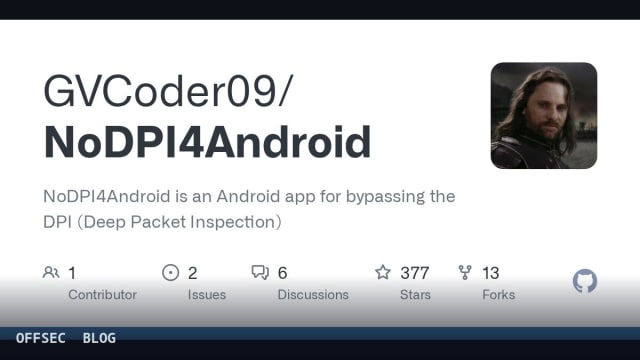
NoDPI4Android is a Kivy-based local proxy that defeats ISP-level DPI censorship by fragmenting TLS ClientHello records and rewriting the advertised TLS version, for users in authorized environments.
| Tool | GVCoder09/NoDPI4Android — Android GUI proxy that bypasses Deep Packet Inspection via TLS ClientHello fragmentation |
| Category | Network censorship circumvention / TLS traffic manipulation proxy (Android, Python, Kivy) |
| Primary Use | Restoring access to HTTPS sites (notably YouTube) blocked by ISP DPI middleboxes, by running a local proxy on 127.0.0.1:8881 and fragmenting ClientHello SNI records |
| Safe Use | Educational analysis for authorized professionals: personal censorship circumvention on networks you are entitled to use, plus lab study of DPI evasion techniques; the README's own disclaimer prohibits illegal use and the FAQ notes the tool does not hide traffic from the ISP |
| Telemetry Note | The README states the tool collects and sends no user data and uses no third-party libraries; from a defender's viewpoint its footprint is a local HTTP(S) proxy on 127.0.0.1:8881, fragmented TLS records with rewritten version fields, and notification permission plus battery-optimization exemption on the device |
NoDPI4Android is a graphical Android front-end for the author's NoDPI utility, written entirely in Python on top of the Kivy and KivyMD UI frameworks and packaged with buildozer. The repository describes it as a fork of theo0x0/nodpi developed independently, and it is worth noting the README's explicit warning not to confuse it with raspabamos/nodpi — lineage matters in this niche, because the fragmentation tricks involved are subtle and forks diverge quickly. The project sits at 377 stars under a GPL-3.0 license, targets Android 7.0 and above, and requires only notification permission plus a disabled battery-optimization profile so the proxy service survives in the background.
The core problem the tool addresses is Deep Packet Inspection: middleboxes operated by ISPs that read packet contents, particularly the SNI field inside the TLS ClientHello, to decide which destinations to block. The README frames this plainly as a censorship technology used to regulate and filter traffic. NoDPI4Android's answer is not a tunnel or encryption overlay but in-place packet surgery: it runs a local proxy on the device, and you point Android's system proxy at 127.0.0.1:8881 so outbound HTTP(S) flows through it first.
Mechanically, the tool intercepts the ClientHello of outgoing connections and fragments it according to one of two documented strategies. The default is fragmentation by SNI: the ClientHello is split into a pre-SNI portion, the SNI characters themselves split one by one, and a post-SNI tail, with each fragment wrapped in its own header carrying the ClientHello record type before everything is transmitted as a single packet. The alternative is random-length fragmentation, where the handshake is cut into arbitrary chunks that are similarly glued back with record-type prefixes.
Independently of the chosen method, the advertised TLS version is rewritten to 1.3. The README is refreshingly honest that this is cosmetic — the version field is modified, but the actual session does not suddenly negotiate TLS 1.3 semantics. The combined effect is a ClientHello that a DPI box must expend disproportionate effort to reassemble; the author's thesis, stated candidly, is that middleboxes lack the compute and time budget to unravel this and simply pass the traffic through rather than drop it. The same honesty extends to the shelf life of the trick: the README explicitly acknowledges these methods may stop working as DPI vendors catch up.
Scope limitations are documented better than in most hobby projects. As of May 2026, the tool cannot unblock Instagram, Facebook, X (Twitter), Telegram, WhatsApp, or Discord voice and video — those require lower-level methods not yet implemented because of their difficulty. HTTP traffic is accepted only for compatibility and is essentially passed through untouched, since blocking of the legacy protocol is rarely what triggers the censorship these days. Success also varies by ISP, depending on which technical means a given provider deploys. The default blacklist shipped with the app covers YouTube domains only, with additional lists available in the blacklists directory of the main NoDPI repository — a strong hint that the primary real-world use case is restoring YouTube access in jurisdictions where it is throttled.
For a security professional, the value here is as much educational as practical. The SNI-fragmentation family of techniques — shared conceptually with GoodbyeDPI, ByeDPI, zapret, PowerTunnel, DPITunnel, and SpoofDPI, all of which the README helpfully catalogs as alternatives across platforms — is a live demonstration of how brittle content-inspection middleboxes are when confronted with protocol-legal but unusual record layouts. If you build or evaluate TLS inspection appliances, studying exactly why these splits defeat reassembly is directly relevant to hardening your own parsers. Running the tool in a controlled lab against your own DPI gear is a legitimate and instructive exercise.
From a defensive and privacy standpoint, the FAQ is unusually clear about what the tool is not. It is not an anonymizer: unlike a VPN or Tor, it does not hide your traffic from the ISP, which can still see every destination IP you connect to. HTTPS content remains exactly as encrypted as before, and the README asserts that no user data is collected or transmitted, no third-party libraries are used, no system processes are interfered with, and no root privileges are required. For enterprise defenders, that profile means detection on a managed device would center on the local listener on 127.0.0.1:8881, the notification permission, and network-side anomalies in ClientHello structure — anomalous TLS record version fields being the most obvious signature.
Installation is deliberately minimal for end users: grab the APK from the GitHub Releases page, start the server inside the app, and set the Android system proxy to 127.0.0.1:8881. Those who prefer to build from source get a documented buildozer path on Linux: install Python 3.9+, the usual toolchain including openjdk-17-jdk, Cython==0.29.33 and virtualenv, then run buildozer android debug and optionally buildozer android deploy run over adb. That's two non-weaponized operational examples, and honestly the README contains little else in the way of invocation — the tool's entire user surface is a start button and a system proxy setting.
The governance context is worth flagging for readers in regulated environments. The FAQ addresses legality in Russia directly: personal use is described as legal as of October 2025, but administrative liability can attach to advertising or distributing circumvention tools. The broader disclaimer places all legal responsibility on the user, prohibits any illegal application including fraud and malware distribution, and is presented as a binding condition of use. Anyone evaluating NoDPI4Android for organizational use should treat circumvention law in their own jurisdiction as the deciding factor, not the tool's technical merits.
The ecosystem around this project is also a signal of maturity despite its modest size: a bilingual README (English and Russian), a dedicated documentation site, and an active community forum for DPI and network-filtering discussion. The desktop sibling NoDPI covers Windows and Linux, making the Android app one node in a cross-platform family. In short, NoDPI4Android is a well-documented, honest, narrowly-scoped censorship-circumvention tool — useful to affected users, instructive to defenders who must understand TLS-level evasion, and a snapshot of an ongoing arms race between packet fragmentation and deep packet inspection.
GVCoder09/NoDPI4Android.Educational analysis for authorized security professionals. Use only in controlled, authorized environments.
Related coverage


0 comentários:
Post a Comment
Note: Only a member of this blog may post a comment.