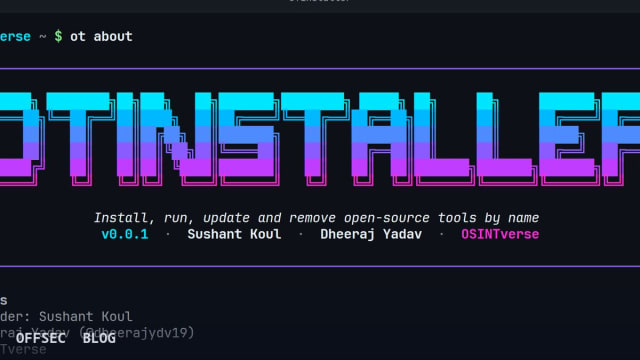
OTinstaller wraps dozens of open-source OSINT command-line tools in a single typed-input CLI for authorized investigators, handling install, run, update and removal in isolated virtualenvs.
| Tool | OSINTVerseHQ/OTinstaller — one CLI to install, run, update and remove open-source OSINT tools by name |
| Category | OSINT tool orchestration / package manager wrapper (Python) |
| Primary Use | Managing a lab of OSINT tools (sherlock, holehe, spiderfoot) with typed inputs like u:johndoe and JSON output for scripted reconnaissance workflows |
| Safe Use | Building and maintaining a controlled toolset for authorized investigations, sanctioned assessments, and defensive research on assets you are permitted to examine |
| Telemetry Note | Results and .meta.json sidecars (command, exit code, SHA-256) are written to ./results/; the managed tools themselves generate outbound queries visible to target platforms and network monitors |
Anyone who has maintained more than a handful of OSINT utilities knows the real cost is not the tools themselves but the yak-shaving around them: one wants pip, another wants git clone, a third needs a specific Python minor version or a compiled dependency. OTinstaller, published under OSINTVerseHQ/OTinstaller and installable from PyPI as otinstaller, attacks exactly that friction layer. It presents a single command interface — ot or otinstaller, both aliases work — that installs each managed tool into its own isolated virtualenv, runs it with normalized typed inputs, saves structured results, and updates or removes it cleanly. It is written in Python, licensed Apache-2.0, targets Linux (tested on Ubuntu 22.04/24.04, Debian 12, Arch, with Kali checked by hand), and requires Python 3.10–3.12 plus git and the venv module.
The core architectural decision worth noting is isolation. ot install sherlock does not pollute your system interpreter; it creates a dedicated virtualenv for the tool, pinned to a tested version. This is the same discipline a careful operator applies manually, automated and made reproducible. The README is candid about Python-version caveats — auto-archiver needs Python <3.13 because pdqhash has no wheel for newer interpreters, and telepathy breaks on the removed cgi module via its googletrans/httpx dependency chain. On distributions shipping Python 3.13+, the documented path is a uv venv --python 3.12 with uv pip install otinstaller, and the doctor subcommand will flag any registered tool that needs a different interpreter. That level of honesty about dependency reality is a good signal about the project's engineering maturity.
The most interesting design element is the typed-input abstraction. Instead of memorizing each tool's flag syntax, you pass prefixed values like u:johndoe for usernames, e:john@example.com for emails, p:+15551234567 for phone numbers, d:example.com for domains, plus url:, q:, geo:, tg:, lat: and lng: variants. OTinstaller translates each typed token into the target tool's native flags, and every tool declares which input types it accepts — inspectable via otinstaller info <tool>. Crucially, plain arguments after the -- separator are passed through unchanged, so the abstraction is additive rather than restrictive: you never lose access to the underlying tool's full flag surface.
Where this gets operationally interesting is fan-out. ot run --all u:johndoe executes every installed tool that accepts a username input, in parallel, with an optional --live status table. The --all mode is deliberately conservative: only u, e, p, d and url inputs qualify, tools requiring API keys or logins are skipped unless --include-credentialed is passed, and continuously-monitoring tools like instagram-monitor are excluded entirely because they never exit on their own. A related otinstaller auto <target> command detects whether the target is an email, domain, IP, URL or username and selects the matching tools automatically. For authorized investigations this turns a manual checklist into a repeatable, bounded sweep.
Result handling is more thoughtful than most wrappers bother with. Output lands under ./results/<tool>/<target>/ in files named <YYYYmmdd-HHMMSS>_<tool>_<target>_<runid>.<ext>, each accompanied by a .meta.json sidecar recording the command, timing, exit code and a SHA-256 hash. For chain-of-custody purposes in legitimate investigations, that sidecar is genuinely useful — it documents what was run, when, and against what, with integrity verification built in. --case <name> groups runs under a named case, diff compares the two most recent runs for a tool and target, and extract <target> pulls indicators back out of saved results. The README adds an important warning: results can contain personal data, so storage and sharing must follow whatever legal and policy constraints govern the engagement. Respecting that is not optional hygiene — it is the difference between a documented investigation and a liability.
Scriptability is treated as a first-class requirement rather than an afterthought. Every command supports --json, nothing prompts when --yes or -y is supplied or when stdin is not a terminal, and exit codes are well-defined: 1 for errors, 2 for invalid input, 130 for interruption, with a single tool's own exit code propagated and recorded in .meta.json. The startup banner suppresses itself under --json, when piped, or with OTINSTALLER_NO_BANNER=1. There is even an llms.txt in the repository aimed at AI agents, which tells you the maintainers expect OTinstaller to be driven by automation as much as by humans. Environment variables like OTINSTALLER_RESULTS_DIR let you pin output to a fixed path instead of the working directory.
Secret handling shows similar attention. All API keys live in ~/.otinstaller/.env with permissions 600, and each tool receives only the keys declared in its registry entry — a least-privilege pattern that limits blast radius if one managed tool is compromised or simply misbehaves. The README also warns that tools inherit your shell environment, so you should not export secrets you are unwilling to expose to everything you run through the wrapper. Credential flag values such as --cookie, --token and --password are masked as *** in .meta.json, and interactive tools that demand logins or setup wizards run on a pseudo-terminal so prompts remain visible while the session is still captured. These are the details that separate a wrapper designed by operators from a weekend script.
The command surface is broad but coherent: init creates ~/.otinstaller/ and gates everything behind a responsible-use notice that must be accepted before any installation works — a small but meaningful friction point that frames the tool's intended lawful context. Beyond install/run, you get list, search, info, playbook for named run sequences, example, update with a read-only check-updates, remove, keys check for API key validation, resume for interrupted jobs, and doctor for environment diagnostics that print [ok] or [problem] lines and often name the package to fix. The catalogue it manages is visible in the repo's topics — sherlock, maigret, blackbird among others — and the README's motivating example contrasts a multi-step manual spiderfoot clone-and-venv dance with ot install spiderfoot followed by ot run spiderfoot -- d:example.com.
Getting started is deliberately minimal: pipx install otinstaller, then ot init, ot install sherlock, and ot run sherlock -- u:johndoe. On Debian-family systems you may first need sudo apt install python3-venv git. Note that first init shows the responsible-use notice and requires an explicit y, and per-tool installs ask Install? [y/N] with the default being no — the prompts are safe by default, which is the right polarity.
From a defensive and professional standpoint, OTinstaller is best understood as workflow infrastructure rather than a scanner. It does not find anything itself; it makes a library of established OSINT tools manageable, reproducible and auditable. For authorized professionals — investigators working sanctioned cases, pentesters doing passive reconnaissance within scope, researchers documenting exposure — the value is the meta layer: pinned versions, isolated environments, hashed and timestamped results, JSON everywhere, and least-privilege key distribution. Blue teams should be aware that the underlying tools still generate their normal outbound footprint against whatever platforms they query, so usage is observable at the destination side regardless of how tidy the local wrapper is. With modest traction so far, the project earns attention through engineering discipline rather than hype, and it is a sensible foundation for anyone maintaining an OSINT lab on Linux.
OSINTVerseHQ/OTinstaller.Educational analysis for authorized security professionals. Use only in controlled, authorized environments.
Related coverage


0 comentários:
Post a Comment
Note: Only a member of this blog may post a comment.