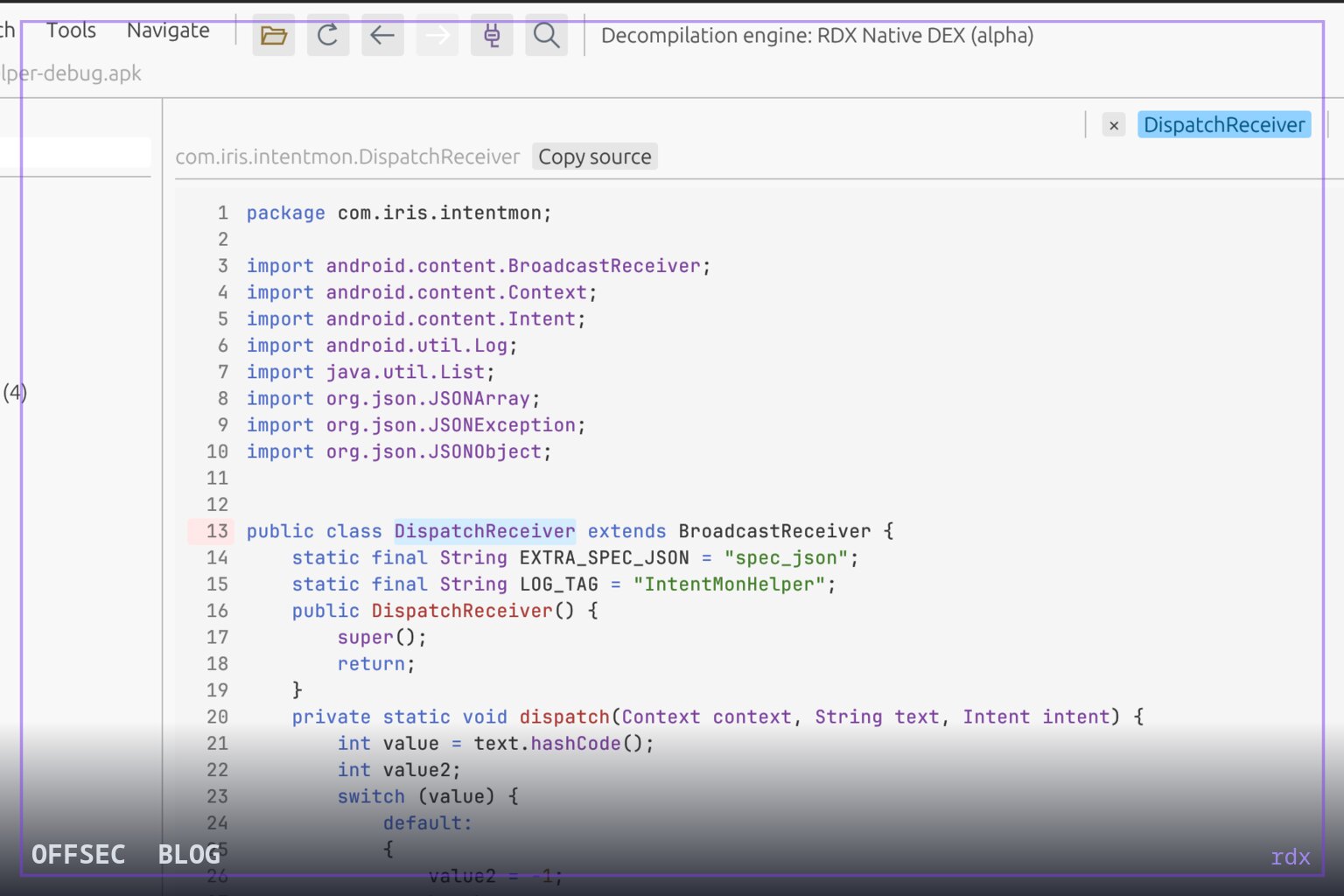
rdx is a self-contained desktop decompiler that reconstructs Java from APK and DEX artifacts for authorized Android code review, with a built-in MCP server for AI-assisted analysis.
| Tool | Ch0pin/rdx — a native Rust APK/DEX decompiler and Android reverse engineering workbench with a built-in MCP server |
| Category | Android reverse engineering / static analysis desktop tool |
| Primary Use | Inspecting APK internals during authorized reviews: reading reconstructed Java, tracing DEX disassembly, browsing the AndroidManifest.xml, and searching classes, methods, fields and resources |
| Safe Use | Intended for authorized security assessments, malware triage, app audits, and lab-based reverse engineering of applications you own or are licensed to test |
| Telemetry Note | rdx is an offline, local-only analysis tool; it contacts nothing during use, so defenders observing it would only see local process and file activity on the analyst workstation rather than any network footprint from the tool itself |
rdx is a desktop application for Android reverse engineering written in Rust, and its defining pitch is self-containment: open an APK, read reconstructed Java, follow method calls, and inspect the manifest and resources in a single window, with no JVM, no Java installation, and no external decompiler service in sight. The README frames it squarely as a code-review and investigation instrument — "Explore Android apps. Follow the code. Understand what happens" — which places it in the same lineage as JADX-style tooling but with a native engine that removes the classic dependency friction that haunts Java-based analysis suites.
The engineering story is the most interesting part of the project. The repository's attribution notes state that the initial Rust DEX parser in src/native_dex.rs adapts parsing logic from JADX v1.5.6, pinned to commit 28ff15e4ae69950aebea110a13e5ab895d234dfc, specifically referencing the DEX input plugin, DexReader, sections/DexHeader, sections/SectionReader, sections/DexClassData, and utils/Leb128. Crucially, the authors are explicit that this is a partial parser translation, not a port of JADX's full decompilation pipeline, and the README's alpha status reflects that: unsupported methods surface as labelled DEX disassembly rather than reconstructed source.
That graceful degradation matters for operators. Instead of failing silently on constructs the native engine cannot yet handle, rdx keeps the method visible as exact DEX disassembly, which means an analyst triaging an obfuscated or heavily patched binary still gets a navigable view rather than dead ends. The docs directory — docs/native-engine.md, docs/search-performance.md, docs/validation.md — suggests the maintainers are documenting coverage and limitations honestly, a good signal for a tool intended to support conclusions that may end up in a report.
Navigation is where rdx tries to earn its keep beyond raw decompilation. The feature table lists declaration jumps, Back/Forward history, tabs and bookmarks, find-usages, method callers/callees, and direct subclasses and implementations. This is the workflow that matters in real audits: start from an exported component flagged in the decoded AndroidManifest.xml, jump to the code that registers it, then walk the call graph to see what the entry point actually reaches. Exported-component highlighting in the manifest view directly supports attack-surface mapping during authorized assessments.
Search is treated as a first-class subsystem rather than an afterthought. Background searches stream results incrementally as they arrive, and a session index reuses cached source for repeat queries, so follow-up searches over the same APK get cheaper. Memory behavior is deliberately conservative: bounded source caches and a disk-backed search index keep retained source data in check rather than holding every decompiled class in RAM. For large commercial APKs with tens of thousands of classes, that design choice is the difference between a responsive reviewer session and a swapping workstation.
The manifest and resource tooling rounds out the static picture. rdx decodes the AndroidManifest.xml and other XML, resolves resource names and values, previews images, and supports file exports. Search covers classes, code, methods, fields and resources, with the ability to exclude packages from searches — a small feature that pays for itself immediately when you want results that are not 90% android.support boilerplate.
The most distinctive capability is the built-in MCP server, which lets a compatible AI assistant browse classes, read Java or DEX, inspect methods and fields, find subclasses, and retrieve manifests, resources and strings. Setup is deliberately minimal: open an APK, select Tools → MCP Server…, click Start server, and paste the copied client configuration into the assistant's MCP settings. Because the server runs locally inside the app, there is no separate installation to manage, and running multiple rdx instances lets agents work on different APKs in parallel, with requests tagged by instance and project so their work does not collide.
For analysts who live in Frida, rdx includes Frida snippet copying, which shortens the loop between static discovery and dynamic verification in a lab: find a method of interest statically, grab a snippet, and take it to an instrumented device. There is also CLI access documented in the user guide, plus a plugin system described in docs/plugins.md, indicating the author intends the tool to be extensible rather than frozen.
Deployment is refreshingly simple. Prebuilt releases for macOS, Windows and Linux are available from the GitHub releases page, and the README is emphatic that no Java, Rust, Python or Android SDK is required to run them. Building from source assumes only a Rust toolchain, launched with cargo run --release -- /path/to/app.apk, or cargo run --release followed by dragging an APK or DEX into the window. Platform packaging details live in docs/install.md and docs/user-guide.md.
Licensing is the one open question worth flagging before adoption: the repository metadata shows no license field, and while NOTICE files preserve JADX, Android Open Source Project, font and theme attributions under third_party/, teams integrating rdx into commercial workflows should verify redistribution terms directly. With roughly 42 stars and a young, actively developed repository, this is early-stage tooling — but the architecture, honest limitation docs, and agent-ready MCP integration make it a project worth watching for anyone doing authorized Android application review, malware triage, or defensive research on mobile threats.
Ch0pin/rdx.Educational analysis for authorized security professionals. Use only in controlled, authorized environments.


0 comentários:
Post a Comment
Note: Only a member of this blog may post a comment.