

SECURITY EDUCATION, PRIVACY GUIDANCE, THREAT AWARENESS, OPEN SOURCE TOOLS, RESEARCH NOTES, AND RESPONSIBLE TECHNOLOGY CONTENT

  • Penetration Testing Distribution - BackBox

    BackBox is a penetration test and security assessment oriented Ubuntu-based Linux distribution providing a network and informatic systems analysis toolkit. It includes a complete set of tools required for ethical hacking and security testing...
  • Pentest Distro Linux - Weakerth4n

    Weakerth4n is a penetration testing distribution which is built from Debian Squeeze.For the desktop environment it uses Fluxbox...
  • The Amnesic Incognito Live System - Tails

    Tails is a live system that aims to preserve your privacy and anonymity. It helps you to use the Internet anonymously and circumvent censorship...
  • Penetration Testing Distribution - BlackArch

    BlackArch is a penetration testing distribution based on Arch Linux that provides a large amount of cyber security tools. It is an open-source distro created specially for penetration testers and security researchers...
  • The Best Penetration Testing Distribution - Kali Linux

    Kali Linux is a Debian-based distribution for digital forensics and penetration testing, developed and maintained by Offensive Security. Mati Aharoni and Devon Kearns rewrote BackTrack...
  • Friendly OS designed for Pentesting - ParrotOS

    Parrot Security OS is a cloud friendly operating system designed for Pentesting, Computer Forensic, Reverse engineering, Hacking, Cloud pentesting...

Thursday, February 18, 2016

Android Application Analysis - Androguard


Androguard is mainly a tool written in python to play with :

ºDex/Odex (Dalvik virtual machine) (.dex) (disassemble, decompilation),
ºAPK (Android application) (.apk),
ºAndroid’s binary xml (.xml),
ºAndroid Resources (.arsc).


Android Application Analysis

Features:

ºMap and manipulate DEX/ODEX/APK/AXML/ARSC format into full Python objects,
ºDiassemble/Decompilation/Modification of DEX/ODEX/APK format,
ºDecompilation with the first native (directly from dalvik bytecodes to java source codes) dalvik decompiler (DAD),
ºAccess to the static analysis of the code (basic blocks, instructions, permissions (with database from http://www.android-permissions.org/) …) and create your own static analysis tool,
ºAnalysis a bunch of android apps,
ºAnalysis with ipython/Sublime Text Editor,
ºDiffing of android applications,
ºMeasure the efficiency of obfuscators (proguard, …),
ºDetermine if your application has been pirated (plagiarism/similarities/rip-off indicator),
ºCheck if an android application is present in a database (malwares, goodwares ?),
ºOpen source database of android malware (this opensource database is done on my free time, of course my free time is limited, so if you want to help, you are welcome !),
ºDetection of ad/open source librairies (WIP),
ºRisk indicator of malicious application,
ºReverse engineering of applications (goodwares, malwares),
ºTransform Android’s binary xml (like AndroidManifest.xml) into classic xml,
ºVisualize your application with gephi (gexf format), or with cytoscape (xgmml format), or ºPNG/DOT output,
ºIntegration with external decompilers (JAD+dex2jar/DED/…)


Share:

Thursday, February 11, 2016

The System


Somos vítimas de um roubo gigantesco A grandiosa mentira que oprime toda a humanidade!.


By Offensive Sec
Share:

Wednesday, February 10, 2016

Extreme Security Scanning - ESSPEE


ESSPEE is a derivetive of Back | Track 5, based on Ubuntu 12.04. Designed for users who wish to use only free software. It is packed with featured security tools with stable configurations. This version consolidates the Unity desktop interface; a brand new way to find and manage your applications.


Features

ºA Perfect Forensics Mode – Read-Only Mount
ºA Perfect Stealth Mode – Networking Disabled
ºLatest kernel with aufs support (Kernel 3.7.4)
ºMetasploit Framework v4.6.0-dev [core:4.6 api:1.0]
ºOSSEC – Open Source Host-based Intrusion Detection System
ºGnome-fallback Desktop Environment.
ºGnome-Pie – All your favourite applications at single click
ºSuricata – Open Source Next Generation IDS/ IPS.
ºSnorby – Suricata IDS/IPS Monitoring Web Interface.
ºMeld – A visual diff and merge tool for compare files and directories.
ºMySQL Workbench – A visual MySQL database designing tool.
ºESSPEE Personal Firewall – Realtime Pop-up Notification. (Thanks to Leopard Flower)
ºNet Activity Viewer – A graphical network connections viewer.
ºLOIQ – Open source network stress testing application.
ºGuymager – Forensics imaging tool (GUI)
ºOstinato – Open-source network packet crafter/traffic generator.
ºFSlint – Find and clean various unwanted extraneous files.
ºRuby 1.9.3p327 (2012-11-10 revision 37606)
ºFern Wi-Fi Cracker
ºVirtualbox – Create your own virtual lab
ºNemiver – A standalone graphical C and C++ debugger
ºOpen Audit – Network inventory, audit and management tool
ºMobile Phone Forensics tools

ºAnonymity – Tor network and many more...


Share:

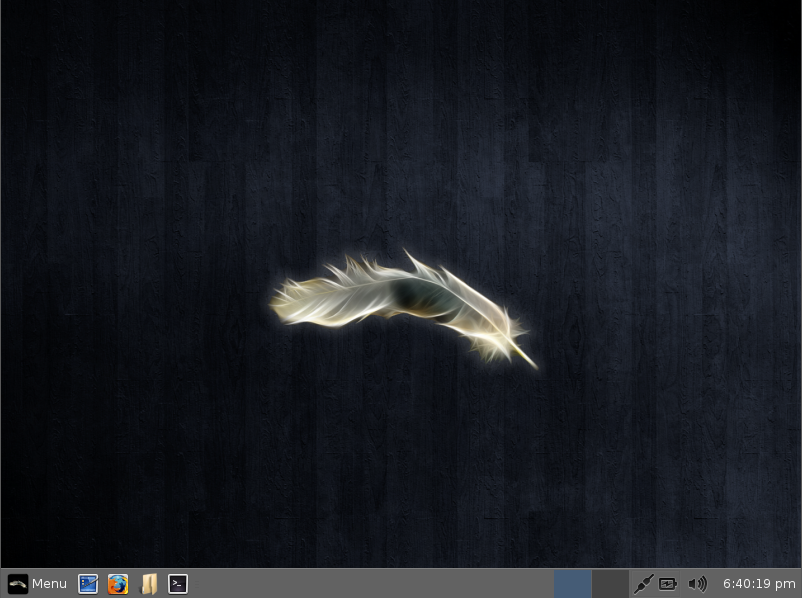
Pentest Distro - Linux Lite


Linux Lite 2.0 Beta is now available for download and testing. Now Lite User Manager, Lite Manual, Lite Software ( Install Additional Software and Remove Additional Software) and Lite Fix can evolve more easily to meet the needs of the user. -> Release Announcement


By producing a simple to use Linux based Operating System, we hope that people will discover just how simple it can be to use a distro like Linux Lite

Linux Lite is free for everyone to use and share, and suitable for people who are new to Linux or for people who want a liteweight environment that is also fully functional.

Features

ºSimple, intuitive use
ºBuilt-in Help & Support Manual
ºLow resource use
ºGood selection of easy to use software
ºFull Office Suite
ºSkype, Chrome, Netflix, Teamviewer
ºSteam Gaming Client


You get a web browser, email, a music & movie player, cd/dvd burner, office software, voice chat, photo editor, network access tools, printing & the Linux Lite Help Manual.


Minimal System requirements:

700 MHz processor+
512 MiB RAM+
5 GB of hard-drive space+
VGA capable of 1024×768 screen resolution
Either a CD drive or a USB port for the iso


Source links:

ºLite User Manager – https://github.com/linuxlite/liteusermanager
ºLite Software – https://github.com/linuxlite/litesoftware
ºLite Manual – https://github.com/linuxlite/litemanual
ºLite Fix – https://github.com/linuxlite/litefix


Linux Lite is based on the Ubuntu LTS series. There are 4 Linux Lite releases per LTS release. The following software included: GParted, LibreOffice Writer, LibreOffice Calc, XFBurn CD/DVD Burner, VLC Media Player, Firefox Web Browser with Flash, OpenJDK Java, Steam, Mumble Voice Chat, Thunderbird Email, XChat IRC Client, Gimp Image Editor, Leafpad Text Editor, Xarchiver, Lite User Manager, Lite Software Center.


Share:

Android Network Analysis and Penetration Suite - dSploit


dSploit is an Android network analysis and penetration suite which aims to offer to IT security experts/geeks the most complete and advanced professional toolkit to perform network security assessments on a mobile device.


Once dSploit is started, you will be able to easily map your network, fingerprint alive hosts operating systems and running services, search for known vulnerabilities, crack logon procedures of many tcp protocols, perform man in the middle attacks such as password sniffing ( with common protocols dissection ), real time traffic manipulation, etc.

This application is still in beta stage, a stable release will be available as soon as possible, but expect some crash or strange behaviour until then, in any case, feel free to submit an issue here or on GitHub.

Requirements

ºAn Android device with at least the 2.3 ( Gingerbread ) version of the OS.
ºThe device must be rooted.
ºThe device must have a BusyBox full install, this means with every utility installed ( not the partial installation).


This application is not to be used for any purposes other than to demonstrate its functions, and must only be used on networks for which you have permission to do so. Any other use is not the responsibility of the developer.In other words, don’t be stupid, and don’t direct angry people towards me.


Share:

FireWire Physical Memory Manipulation - Inception


Inception is a FireWire physical memory manipulation and hacking tool exploiting IEEE 1394 SBP-2 DMA. The tool can unlock (any password accepted) and escalate privileges to Administrator/root on almost* any powered on machine you have physical access to. The tool can attack over FireWire, Thunderbolt, ExpressCard, PC Card and any other PCI/PCIe interfaces.


FireWire Physical Memory Manipulation

Inception aims to provide a stable and easy way of performing intrusive and non-intrusive memory hacks on live computers using FireWire SBP-2 DMA. It is primarily intended to do its magic against computers that utilize full disk encryption such as BitLocker, FileVault, TrueCrypt or Pointsec. There are plenty of other ways to hack a machine that doesn’t pack encryption. Inception is also useful for incident response teams and digital forensics experts when faced with live machines.


As of version 0.2.2, it is able to unlock Windows 8 SP0, Windows 7 SP0-1, Vista SP0 and SP2, Windows XP SP2-3, Mac OS X Snow Leopard, Lion and Mountain Lion, Ubuntu 11.04, 11.10, 12.04, 12.10, Linux Mint 11, 12 and 13 x86 and x64-bit machines. Signatures are added by request.


Requirements

Inception requires:

Hardware:

ºAttacker machine: Linux or Mac OS X (host / attacker machine) with a FireWire or Thunderbolt interface, or an ExpressCard/PCMCIA expansion port. Linux is currently recommended due to buggy firewire interfaces on OS X
ºVictim machine: A FireWire or Thunderbolt interface, or an ExpressCard/PCMCIA expansion port

Software:

ºPython 3
ºgit
ºgcc (incl. g++)
ºcmake
ºpip (for automatic resolution of dependencies)
ºlibforensic1394
ºmsgpack

Installation

On Debian-based distributions the installation command lines can be summarized as:

sudo apt-get install git cmake g++ python3 python3-pip

On OS X, you can install the tool requirements with homebrew:

brew install git cmake python3

After installing the requirements, download and install libforensic1394:

git clone git://git.freddie.witherden.org/forensic1394.git
cd forensic1394
cmake CMakeLists.txt
sudo make install
cd python
sudo python3 setup.py install

Download and install Inception

git clone git://github.com/carmaa/inception.git
cd inception
./setup.py install

The setup script should be able to install dependencies if you have pip installed.


Share:

RFIDIOt


RFIDIOt is a collection of tools and libraries for exploring RFID technology, written in python. It currently drives a range of RFID readers made by ACG. It provides support for external (currently Compact Flash/USB/Serial) readers, and functions are provided for standard operations such as READ, WRITE, DEBIT, LOGIN etc. Supported standards are ISO 14443A and ISO14443B in the 13.56MHz band, and devices include all MIFARE types, SLE 55Rxx, SLE 66CL160S, SLE 66CLX320P, SR176, SRIX4K, Jewel Tag (IRT0302B11 KSW DIY Eng. Sample), Sharp B, ASK GTML2ISO, TOSMART P064. Support for Smartcards and other RFID operating frequencies and standards are in the pipeline.

It’s called “RFIDIOt” for two reasons:

1. I like puns. This one stands for “RFID IO tools”
2.Since I haven’t done any serious programming for a long time, I felt like an idiot having to learn a whole new language and the code probably looks like it’s written by an idiot. However, python rocks, so it was worth it!


It currently drives a range of RFID readers made by ACG, called the HF Dual ISO and HF Multi ISO, which are both 13.56MHz devices, and the LF MultiTag which is 125/134.2kHz. Frosch Hitag reader/writers are also now supported. There’s no reason it couldn’t work with others, these are just the first ones I got my hands on, and since they present themselves to the O/S as standard serial devices without having to install any drivers, it made interfacing very simple (but see the Technical Note section below as I’ve had some issues recently). I have written some example programs to read/write tags and have started on the library routines to handle the data structures of specific tags like MIFARE®. It is far from complete but I thought I’d follow the “publish early, publish often” philosophy on this one…


PC/SC (MUSCLE) devices, such as the Omnikey CardMan are also supported. I am curently testing with a CardMan 5321.


What standards does it support?

The Dual ISO reader will read (and write) 13.56MHz devices with the following tags: 

  MIFARE® Standard, MIFARE® 4k, MIFARE® Pro, MIFARE® Ultralight, MIFARE® DESFIRE, MIFARE® SmartMX
  SLE 55Rxx, SLE 66CL160S, SLE 66CLX320P, SR176, SRIX4K
  ISO14443A Tags
  ISO14443B Tags
  Jewel Tag (IRT0302B11 KSW DIY Eng. Sample)
  Sharp B
  ASK GTML2ISO
  TOSMART P032/P064

In addition to these, the Multi ISO will also handle ISO 15693, ISO 18000-3, NFC enabled, ICODE standards, specifically:

  I-CODE SLI (SL2 ICS 20)
  I-CODE EPC (SL2 ICS 10)
  I-CODE UID (SL2 ICS 11)
  I-CODE 
  NFC (Reader To Tag Mode)
  SLE 55Rxx
  SRF55VxxP+S
  SLE 66CL160S
  SLE 66CLX320P
  SR176
  SRIX4K
  LRI 64
  LRI 512
  EM4135
  KSW Temp Sens ®
  Tag-it™ HF-I Standard
  Tag-it™ HF-I Pro
  ASK GTML
  ASK GTML2ISO


The LFX will read/write 125kHz devices with the following tags:

  EM4x02
  EM4x50
  EM4x05 (ISO 11784/5 FDX-B)
  Hitag1
  Hitag2
  HitagS
  Q5
  TI-RFID SYSTEMS 64 bit R/O & R/W
  TI-RFID SYSTEMS 1088 bit Multipage

 The Q5 and Hitag2 can be programmed to emulate ‘Unique’ / EM4x02 and FDX-B / EM4x05 standards.

The Frosch will read/write:

  Hitag 1
  Hitag 2
  Hitag S


 The Hitag2 can be programmed to emulate ‘Unique’ / EM4x02 and FDX-B / EM4x05 standards.


Share:

Portable Multi-boot Security Suite - Katana


Katana is a portable multi-boot security suite which brings together many of today’s best security distributions and portable applications to run off a single Flash Drive. It includes distributions which focus on Pen-Testing, Auditing, Forensics, System Recovery, Network Analysis, and Malware Removal. Katana also comes with over 100 portable Windows applications; such as Wireshark, Metasploit, NMAP, Cain & Abel, and many more


Features

º100s of security / ethical hacking tools
ºBoot from multiple Live distributions
ºRun hundres of portable Windows security application from a single flash drive
ºAdd additional distributions and portable application


Katana: Multi-Boot Security Suite is an open source and special software project aimed at security professionals and ethical hackers. It is designed from the ground up as a collection of well-known operating systems oriented towards penetration testing operations, including BackTrack, Ophcrack or Ultimate Boot CD.

Unfortunately for some of you who expected to download a standard ISO image, the Katana: Multi-Boot Security Suite project is distributed as a USB file system that has been archived with the RAR compression method. The archive has approximately 4GB in size.

Katana was created with portability in mind, which means that the user must extract the RAR archive on a directory of his or her choice and deploy all the files on a USB thumb drive of 4GB or higher capacity in order to use the distribution and boot it from the BIOS of a PC.

As mentioned, Katana: Multi-Boot Security Suite is a collection of penetration testing distributions and rescue CDs, including BackTrack, Ultimate Boot CD, Ultimate Boot CD for Windows, Ophcrack Live, Trinity Rescue Kit, Derik’s Boot and Nuke, Clonezilla, Kaspersky Live and Puppy Linux.

Being designed from the ground up for penetration testing operations, the Katana distribution is comprised of hundreds of security and ethical hacking tools. In addition, a bunch of portable Windows security apps are also included, such as Metasploit, Cain & Able, Wireshark and Nmap.


Among other tools worth mentioning are HiJackThis, PuTTY, Clam Anti-Virus, SniffPass, ProcessActivityView, The Sleuth Kit, Unstoppable Copier, OllyDBG, FreeOTFE, FindSSN, Undelete Plus, The PC Decrapifier, IECookiesView, MozillaCacheView, as well as the Mozilla Firefox web browser and OpenOffice.org office suite.


Share:

Ghost Phisher


Ghost Phisher is a computer security application that comes inbuilt with a Fake DNS Server, Fake DHCP Server, Fake HTTP server and also has an integrated area for automatic capture and logging of HTTP form method credentials to a database. The program could be used as an honey pot,could be used to service DHCP request , DNS requests or phishing attacks


Features:

ºHTTP Server
ºInbuilt RFC 1035 DNS Server
ºInbuilt RFC 2131 DHCP Server
ºWebpage Hosting and Credential Logger (Phishing)
ºWifi Access point Emulator
ºSession Hijacking (Passive and Ethernet Modes)
ºARP Cache Poisoning (MITM and DOS Attacks)
ºPenetration using Metasploit Bindings
ºAutomatic credential logging using SQlite Database
ºUpdate Support


Operating System Supported

Software runs on any Linux machine with the programs prerequisites,

Prerequisites

The Program requires the following to run properly:
The following dependencies can be installed using the Debian package installer command on Debian based systems using “apt-get install program” or otherwise downloaded and installed manually

ºAircrack-NG
ºPython-Scapy
ºPython Qt4
ºPython
ºSubversion
ºXterm
ºMetasploit Framework (Optional)

Installation

Installation on Debian Package supported systems:

root@host:~# dpkg -i ghost-phisher_1.5_all.deb

The source code for the program can be fetched using the following command on terminal


root@host:~# svn checkout http://ghost-phisher.googlecode.com/svn/Ghost-Phisher/


Share:
Established in 2015. Offensive Sec Blog has been sharing security research, hacking tools, threat intelligence, and offensive security content since 2015.
Copyright © OffSec Blog | Powered by OffensiveSec
Design by OffSec | Built for the security community







